The Frustrating Illusion of Absolute Silence
I spent almost four hundred dollars on a top-tier pair of over-ear headphones because I was absolutely desperate for some peace and quiet. I work in a busy open-office layout, and the constant, chaotic chatter was driving my daily stress levels through the roof.
When I finally unboxed them, I eagerly put them over my ears, flipped the power switch, and expected to enter a magical bubble of absolute silence. Instead, I could still clearly hear my coworker loudly chewing his gum right next to me.
I felt entirely cheated and incredibly angry that my expensive purchase seemed completely broken straight out of the box. I genuinely thought active noise cancellation meant an instant barrier against all sound, but I was so wrong.
My complete lack of understanding about how to actually set up and tune these devices was the real problem. I was treating a highly advanced piece of audio technology like a simple pair of cheap plastic earmuffs.
Everyday people spend huge amounts of their hard-earned money on premium audio gear just to escape the chaotic noises around them. You buy these highly marketed gadgets hoping to create a personal sanctuary where you can finally concentrate on your work or just relax in peace.
But when you still hear the dog barking, the traffic outside, or the loud hum of the office air conditioner, it completely ruins your mental peace. The distraction breaks your flow state instantly, making a simple creative task take hours longer than it normally should.
It feels incredibly frustrating when you invest heavily in a premium solution that barely seems to work for you. You end up adjusting the physical ear cups a hundred times a day, trying to find a magical angle that stops the annoying noise from leaking in.
The constant background hum builds up an invisible layer of anxiety and intense mental fatigue by the end of your workday. You even start doubting if you bought a defective unit or if the major audio brands just lied to you in their flashy marketing videos.
This specific pain of paying top dollar for premium focus and getting mediocre, leaky results is a heavily shared struggle among office workers and students. We all just want a quiet, comfortable space to think, read, or work without the world constantly interrupting our private thoughts.
Decoding the Mechanics of Your Audio Shield
To completely fix this frustrating problem, we need to understand what is actually happening inside those soft ear cups. Active noise cancellation is not a solid physical wall; it is a highly active, constantly working computer system attached to your ears.
The tiny microphones on the outside of your headset listen to the environment around you. The internal computer chip then instantly plays an exact opposite sound wave into your ears to neutralize that background noise.
When these two opposing sound waves crash into each other, they cancel each other out, creating the illusion of perfect silence. However, this delicate digital dance requires perfect conditions to work properly.
Perfecting the Physical Cushion Seal
Before the internal computer can even begin to do its magical work, you must establish a perfect physical barrier. This is officially known as passive noise isolation, and it is the absolute foundation of getting good results.
If the soft memory foam pads do not sit completely flush against your skin, outside air and sound will easily leak straight in. The computer chip cannot effectively cancel out noise if new sounds are bypassing the microphones through a physical gap in the pads.
Many everyday items completely destroy this important physical seal without you even realizing it. Thick plastic glasses frames, heavy earrings, or even tying your hair back tightly can create tiny tunnels for sound to enter.
If you wear reading glasses while working, try resting the arms of the frames slightly higher above the ear pads. You should also wait a few minutes after putting the headset on, as the heat from your body actually softens the memory foam, allowing it to mold perfectly around your unique jawline.
The Hidden Magic Inside the Mobile App
A massive mistake beginners make is pairing their new headset to their phone via Bluetooth and completely ignoring the official companion app. The brand provides this application because it contains the master controls for the internal computer chip.
Without the app, your headset is running on a generic, factory-default setting that is not optimized for your specific environment. You are essentially driving a high-performance sports car but leaving it stuck in the lowest gear.
Inside these applications, you will find incredibly detailed sliders that let you control exactly how aggressively the microphones block sound. You will also find urgent firmware updates that directly improve the audio algorithms, often fixing known noise-leaking issues overnight.
My Pro Tip for you is this: I completely ignored the official companion app for the first two months because I thought it was just useless promotional bloatware. My biggest realization came when I finally downloaded it and ran the internal ear-seal test, which immediately told me my right ear pad was sitting too loosely over my glasses. Fixing that one physical gap doubled my noise-blocking power instantly.
Managing the Uncomfortable Eardrum Pressure
When you first turn on a premium headset, you might feel a strange, uncomfortable sensation deeply inside your ears. Many people describe it as the feeling of an airplane taking off, where the cabin pressure suddenly drops and sucks on your eardrums.
This is not actual physical air pressure, but rather your brain getting highly confused. Your inner ear feels completely normal, but your brain registers absolute silence, which usually only happens in high-pressure environments like deep underwater.
This sensory mismatch can cause actual headaches, mild dizziness, and strong nausea if you force yourself to endure it. The solution is entirely within your control if you know where to look.
Open your mobile companion app and locate the active noise cancellation slider. Instead of keeping it pushed completely to the maximum setting, dial it back down to about eighty percent.
This slight reduction allows a tiny, almost unnoticeable amount of ambient room tone to bleed through. That tiny bit of natural room sound is usually enough to calm your brain down and completely eliminate the fake pressure sensation.
Why Sudden Noises Still Sneak Through
One of the biggest mysteries for new users is why they can sit in perfect silence, yet still clearly hear a baby crying or a glass dropping. Active noise cancellation technology is essentially designed to fight low, steady, and predictable sounds.
It works absolute wonders against the constant humming of an airplane engine, the rumbling of train tracks, or the steady blowing of a desk fan. Because these sounds never change their pitch, the internal computer easily predicts them and cancels them out flawlessly.
However, a dog barking, a sudden laugh, or a loudly dropped book are highly unpredictable, high-frequency sound spikes. The computer chip simply cannot listen, process, and generate the inverse sound wave fast enough to block a sudden, sharp noise.
If you want to visually understand how different sound frequencies easily leak through poor headphone seals, this simple breakdown is an absolute must-watch.
This is a physical limitation of current audio technology, not a broken product. Knowing this difference helps you manage your expectations and prevents you from constantly adjusting the settings in total frustration.
Layering Ambient Audio for Ultimate Focus
Since we know the technology cannot block sudden, sharp sounds on its own, we have to help it out using a clever psychological trick. This technique is known as auditory masking, and it is the absolute best way to achieve total concentration.
You need to play a consistent, soothing background noise through the speakers to cover up the sudden spikes of outside sound. Many people use standard white noise, but white noise is often too harsh and hissy for long work sessions.
Instead, search your favorite music platform for "Brown Noise" or deep rainstorm sounds. Brown noise highlights the lower frequencies, sounding much more like a deep, distant waterfall or heavy ocean waves.
When you combine the aggressive blocking power of your headset with the smooth masking power of brown noise, you create an impenetrable audio fortress. Sudden office laughs or ringing phones simply get drowned out by the deep, artificial rainstorm playing gently in your ears.
Adapting to Your Specific Workspace
Your audio needs will change drastically depending on where you are physically sitting with your laptop. Treating a quiet library the same as a bustling coffee shop is a terrible way to use your new technology.
If you are working from a quiet home office, you do not need the maximum blocking power turned on. Keeping the settings low saves massive amounts of battery life and prevents that weird ear pressure from building up during a long shift.
On the other hand, if you are sitting next to a noisy espresso machine in a cafe, you need every ounce of digital blocking power available. Some advanced applications actually allow you to save specific location profiles.
You can use the GPS on your phone to automatically switch the headset into "Maximum Focus" mode the moment you walk into your local coffee shop. This type of smart calibration completely removes the daily friction of constantly opening the app and messing with tiny sliders.
Navigating the Transparency Features
Another incredible tool hidden inside your premium gadget is the transparency or pass-through mode. This essentially reverses the entire process by using the outside microphones to amplify human voices directly into your ears.
Many beginners avoid this button because they bought the device specifically to block people out. However, using transparency mode strategically actually improves your overall focus routine.
When a coworker taps your shoulder to ask a quick question, taking the headphones completely off your head breaks your physical and mental rhythm. By simply tapping a button to let their voice in, you can answer them and immediately tap the button again to instantly return to your quiet zone.
Learning exactly where this physical button sits on the side of your ear cup without looking is a highly valuable skill. It allows you to quickly interact with the physical world while keeping your digital focus barrier completely intact.
By taking the time to understand the physical seals, the mobile software, and the limits of the technology, you transform a frustrating purchase into a powerful daily tool. Proper calibration takes a little bit of patience, but the resulting hours of deep, uninterrupted focus are absolutely worth the effort.
Pushing Your Audio Gear to the Absolute Limit
Getting a basic physical seal and downloading the mobile app is just the beginning of your journey. To truly master your environment, you need to understand how to customize the actual sound frequencies pumping into your ears.
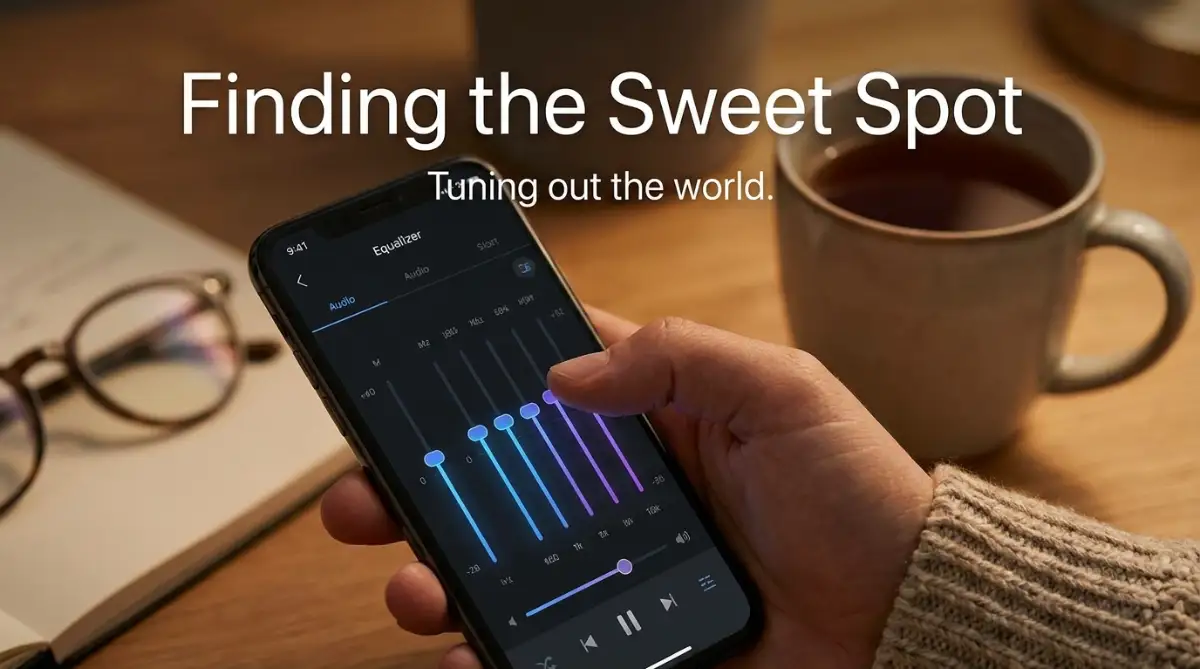
Many people completely ignore the custom Equalizer (EQ) settings hidden deep inside their headphone companion app. They leave the sliders flat, which is a massive missed opportunity for improving daily concentration.
An equalizer is basically a digital mixing board that lets you control the volume of different types of sounds. You can actively lower the booming bass, raise the clear vocals, or soften the sharp, piercing high notes.
When you are trying to study or work, heavy bass can actually cause mild physical fatigue over a few hours. By going into your app and slightly lowering the low-frequency sliders, you remove that heavy, exhausting thump from your background music.
This simple tweak leaves you feeling much more energetic and clear-headed at the end of your workday. You are actively designing an audio profile that supports mental stamina rather than draining it.
The Secret to Microphone Maintenance
Active noise cancellation relies entirely on the tiny, microscopic microphone holes located on the outside of your ear cups. These delicate sensors are constantly listening to your room to build the perfect invisible audio shield.
Over a few months of daily use, these tiny holes naturally fill up with microscopic skin dust, natural oils from your hands, and everyday lint from your backpack. When those microphones get blocked, the internal computer chip suddenly becomes entirely blind to the outside world.
It starts pumping the wrong frequencies into your ears, which often causes a weird, annoying hissing sound. You might incorrectly assume your expensive gadget is completely broken and needs replacing.
Instead, buy a clean, dry, soft-bristled toothbrush and gently sweep it across the exterior microphone grilles once a week. Never use compressed air or sharp needles, as the intense pressure will instantly shatter the highly sensitive internal microphone membranes.
According to detailed research on acoustic engineering and sensor durability, keeping external listening hardware perfectly clean is the single best way to maintain accurate audio processing. A simple weekly brush keeps your noise cancellation working just as perfectly as the day you unboxed it.
Upgrading the Factory Foam Pads
Here is an insider secret that professional audio engineers swear by when they build their studio setups. The factory-standard ear pads that come with your device are usually made of generic synthetic leather to keep manufacturing costs down.
While they feel incredibly soft on day one, this cheap material physically breaks down, stiffens, and cracks as it absorbs the natural sweat from your skin. When the foam gets stiff, it stops molding perfectly to the unique shape of your jawbone.
This invisible stiffness is what really causes electric vehicle battery degradation to happen in machines; the core materials simply lose their chemical flexibility over time. The exact same degradation happens to your headphone seals, completely ruining your hard-earned quiet zone.
You can easily fix this by purchasing aftermarket replacement pads made from high-density memory foam or cooling gel. These premium third-party pads create an incredibly thick, sticky seal against your skin that blocks out nearly twice as much background chatter.
It is a relatively cheap upgrade that dramatically completely transforms the physical comfort and blocking power of a mediocre headset. Plus, switching to a breathable velour fabric can completely stop your ears from sweating during those intense, eight-hour study sessions.
Managing Battery Drain for Long Sessions
Running advanced active noise cancellation algorithms requires a massive amount of internal battery power. The computer chip inside your headset is literally working overtime, processing thousands of sound waves every single second.
If you leave the maximum blocking mode turned on while sitting in a perfectly quiet room, you are wasting precious battery life for absolutely no reason. This background drain is a huge part of why your smartwatch keeps dying so quickly; background features stay active even when you do not need them.
Get into the habit of physically switching the cancellation feature off when your house is already silent. You will easily double the total playtime of your device and reduce the amount of time you spend tethered to a charging cable.
The Most Destructive Habits Ruining Your Silence
Even with the best intentions, smart people constantly make terrible mistakes when handling their premium audio devices. We often treat these highly sensitive computers as if they are cheap, indestructible toys.
If you want to keep your personal quiet zone completely intact for years, you must learn to completely avoid these common pitfalls. Let us break down the exact actions that ruin both your expensive equipment and your long-term hearing health.
Maxing Out Volume to Hide Background Chatter
When the noise cancellation is not set up correctly, everyday users usually panic and resort to the worst possible solution. They grab their smartphone and instantly crank the music volume up to one hundred percent to drown out the noisy room.
This does not actually block the outside noise; it just aggressively attacks your delicate eardrums with dangerously loud music. Blasting loud audio for hours at a time causes permanent, irreversible hearing damage and a constant ringing sensation called tinnitus.
The official medical guidelines for safe listening practices strictly warn against using sheer volume as a tool to block out your surrounding environment. The entire point of buying premium noise-canceling gear is to allow you to listen to your music at a very low, safe, and comfortable volume.
If you ever feel the sudden urge to max out your volume slider just to focus, take the headphones off immediately. It means your physical ear seals have failed, and you need to readjust the pads before trying again.
Falling for Cheap Knockoff Accessories
When it finally comes time to replace your worn-out ear pads or broken charging cables, the internet is flooded with incredibly cheap alternatives. You might find replacement cushions being sold for just two or three dollars on massive overseas marketplaces.
Buying these ultra-cheap replacements is an absolutely terrible idea that completely destroys your device's core functionality. They are almost never made with dense acoustic memory foam; instead, they use cheap, hollow sponge material.
Hollow sponges absorb absolutely zero background noise, turning your expensive gadget into a leaky, useless mess. Falling for these cheap audio accessories is just like ignoring the silent warning signs of fake remote job offers; it seems like a great deal until you realize it is completely empty inside.
Always purchase replacement parts from the original manufacturer or from highly trusted, dedicated audio brands. Spending twenty dollars on high-quality foam is the only way to protect the massive investment you originally made.
Throwing Gadgets Directly into Backpacks
I constantly see students and professionals taking off their four-hundred-dollar headphones and tossing them entirely unprotected into a heavy backpack. They get crushed against heavy textbooks, sharp pens, and metal water bottles.
This daily physical abuse permanently bends the internal metal headband, which completely destroys the clamping force of the device. If the headband loses its tight spring tension, the ear cups will hang loosely on your head, making a perfect sound seal completely impossible.
Treat your audio equipment exactly how you would protect your personal assets from unnecessary financial risks. Always, without exception, put your headset back into its original hard-shell protective carrying case before traveling anywhere.
A hard case prevents the delicate plastic hinges from snapping under pressure and keeps the soft ear pads entirely free from permanent dents. It takes exactly five extra seconds to zip them up safely, and it adds years of functional life to your favorite gadget.
Ignoring Firmware Updates for Months
Every few months, the brand that built your headphones will push a silent software update directly to your mobile app. Because updating takes a few minutes of waiting, most people simply hit the "Remind Me Later" button and completely forget about it.
This is a massive mistake because these specific updates almost always contain highly advanced improvements to the noise-canceling algorithms. Engineers constantly figure out new mathematical ways to block out tricky sounds like human voices or windy weather.
By ignoring these free digital upgrades, your headset is actively underperforming compared to what it is actually capable of doing. This is very similar to ignoring the silent formatting mistakes that drive readers away from your newly published articles; small technical errors quietly ruin the entire experience.
Make a simple habit of opening your companion application at least once a month while you are drinking your morning coffee. Let the software do its background work, and you will often find your headphones magically sounding noticeably better the very next day.
Wearing Them During Heavy Workouts
Premium over-ear noise-canceling headphones are generally built for office environments, long flights, and studying at a quiet desk. They are absolutely not designed to handle the intense, pouring sweat of a heavy gym workout or a long outdoor run.
The soft leather pads trap extreme heat around your ears, causing you to sweat heavily directly into the exposed speaker drivers. The salty moisture easily slips past the thin protective meshes and immediately begins to rust the delicate internal wiring.
Detailed investigations by occupational health and environmental safety experts show that mixing electronic components with high levels of human sweat rapidly accelerates hardware corrosion. If you need music for exercising, invest in a much cheaper pair of truly waterproof wireless earbuds designed specifically for sports.
Keep your premium over-ear gadgets completely safe at your desk where they truly belong. Using the right tool for the right situation prevents massive frustration and costly accidental damages.
Your Blueprint for Deep Work and Undisturbed Focus
We have covered a tremendous amount of ground today regarding how to truly master your personal audio environment. The biggest takeaway you should remember is that absolute silence requires a mix of perfect physical seals and smart digital adjustments.
Those fancy marketing commercials make the technology look like magic, but now you know the highly practical science behind making it actually work. You are no longer just a passive consumer; you are actively controlling your own mental space.
By taking the time to test your ear pads, tweak the equalizer settings, and block sudden noises with soothing background tracks, you can finally achieve total concentration. You will notice a massive drop in your daily stress levels when you no longer have to listen to the chaotic noise of the world around you.
I genuinely hope my early struggles with noisy, distracting office spaces help you build an incredibly peaceful workflow. Taking full control of my own audio environment completely transformed my daily productivity, and I know it will do the exact same beautiful thing for you.
Answers to Your Biggest Audio Calibration Questions
Do noise-canceling headphones protect my hearing at loud music concerts?
No, active noise cancellation is absolutely not designed to block extreme decibel levels like loud concert speakers or construction machinery. These computer algorithms are built to filter out low, steady background hums, so you still need proper, heavy-duty industrial earplugs for extremely loud physical environments.
Why do I hear a faint hissing sound when my music is paused?
That tiny, faint hiss is completely normal and is commonly referred to as the "noise floor" of the internal audio processor. It is simply the sound of the microphones actively running electricity to monitor the room, and it completely disappears the moment you start playing any actual audio.
Can I sleep on my side wearing premium over-ear headphones?
It is highly recommended that you do not sleep with bulky over-ear devices, as the heavy weight of your head will completely crush the plastic hinges. If you need noise masking for a good night of rest, switch to soft, low-profile silicone sleep earbuds that do not damage your ear canal.
Does wearing thick reading glasses completely break the noise isolation?
Yes, thick plastic or metal eyeglass frames lift the memory foam away from your skin, creating a direct physical tunnel for outside room noise to leak inside. To fix this instantly, try resting the arms of your glasses slightly higher up on the foam pad, or switch to ultra-thin wire frames while working.
Will turning on maximum noise cancellation drain my battery much faster?
Absolutely, because the internal computer chip has to work incredibly hard to constantly analyze and counter-attack thousands of incoming sound waves. If you are sitting completely alone in a quiet room, physically turn the active cancellation feature off to easily save massive amounts of battery life.
Disclaimer: The information provided in this article is for educational and informational purposes only. Modifying audio settings, altering factory equipment, or listening at high volumes carries inherent risks to your hearing health and device warranty. We are not medical professionals or official technicians for any specific audio brand. Always consult your device's official user manual and follow recommended medical guidelines regarding safe daily listening volumes. We are not responsible for any hearing damage, physical discomfort, or hardware malfunction that may occur.