
Why I Hit Breaking Point With Scattered Team Information
Did you know the average office worker spends nearly two hours every single day just looking for files? I honestly did not believe that crazy statistic until I looked at my own team's wasted hours. We had important documents scattered across Google Drive, Slack chats, and random desktop folders, making simple daily tasks feel totally impossible. I finally decided enough was enough, and I spent a weekend completely rebuilding our digital filing system from scratch. Today, I am going to show you exactly how I did it, so you can stop wasting time and get your business organized.
That was the exact moment I realized my team's information system was completely broken. We were using some of the best software tools available on the market, yet everything felt like a messy, tangled web of hidden links. I felt like I was spending half my working day just looking for lost files and answering the same repetitive questions from my staff.
Honestly, this constant chaos was destroying my mental peace. I could not take a single day off without getting pinged by team members asking where to find a specific graphic or a standard operating procedure. My dream of running a smooth, automated business had quickly turned into a nightmare of endless manual searches.
If you are reading this right now, I bet you know exactly what this painful situation feels like. You probably wake up to a barrage of messages from colleagues who simply cannot find the resources they need to do their jobs. This constant interruption completely kills your daily focus and drains your creative energy long before lunch time.
We often try to fix this mess by creating even more folders, but that just adds to the overall confusion. You end up with versions of documents labeled as "Final_v2_Real_Final," and nobody knows which file is actually accurate anymore. It literally feels like you are drowning in a sea of data while starving for actual, usable knowledge.
⚡ Quick Summary & Key Takeaways
Before we jump into the technical details, here is a quick look at what you will learn today:
- Why manual folder structures cost your business thousands of dollars in wasted time.
- How to set up automated tagging rules that organize your files in the background.
- The exact difference between exact-match keywords and smart semantic search.
- My personal strategy for avoiding "tag bloat" and keeping the digital workspace clean.
Designing the Blueprint for a Smart Information Hub
To fix this massive problem, we need to completely rethink how we store our data from the ground up. Simply dumping text files into a cloud drive is no longer an effective strategy for modern teams. We need a system that actually thinks for itself and helps us find exactly what we need, exactly when we need it.
This is where the magic of a properly structured information hub comes into play. Think of it like a highly intelligent librarian who instantly knows the exact page of a book you are looking for. By using smart logic and artificial intelligence, we can build a system that organizes itself while we focus on our actual work.
The True Cost of Manual Data Sorting
Let me share a very practical perspective on why manual folders are failing you right now. When you create a folder structure, you are forcing every single person on your team to think exactly the way you do. But human brains do not work like rigid filing cabinets; we all associate information in completely different ways.
For example, your marketing manager might look for a logo under a folder named "Brand Assets." Meanwhile, your sales representative might search for that exact same logo under "Client Pitch Materials." Because both people have different logical paths, one of them is going to waste ten minutes clicking through the wrong folders.
Pro Tip: I learned the hard way that forcing my team to memorize complex folder paths was a huge mistake. My biggest realization was that people do not want to browse; they just want to type a keyword and instantly see the exact file, much like how a Google search works.
When you multiply those lost ten minutes by every employee, every single day, the financial cost becomes absolutely staggering. You are essentially paying your highly skilled workers to play a frustrating game of digital hide-and-seek. This is exactly why moving away from rigid folders and moving toward dynamic searchability is so incredibly important for your bottom line.
How Intelligent Sorting Actually Works
Instead of relying on human memory, we can use smart automation rules to do the heavy lifting for us. This involves setting up background triggers that automatically categorize information the moment it enters your system. You do not have to write any complicated code to make this happen; modern SaaS tools have this functionality built right in.
Imagine you forward an email containing a signed contract to your digital workspace. A smart automation system can instantly read the contents of that email. It sees the word "contract," identifies the client's name, and instantly applies specific digital labels to that document without you lifting a finger.
Bold and captivating intro for the video: If you want to see exactly how these automated rules can completely transform your daily workflow, watch this incredible breakdown of intelligent data sorting in action!
This automated process removes human error entirely from your organization strategy. Because the software is applying the labels based on the actual text inside the document, nothing ever gets lost due to a simple typo. Your team can trust that the search bar will always deliver accurate results, bringing back their confidence in your internal systems.
Myth vs Reality in Digital Organization
There is a huge misconception that building an automated hub requires a dedicated IT department and months of planning. Let us break down some common myths so you can see how accessible this technology really is.
Myth: You need to know complex programming languages to build an automated knowledge base.
Reality: Most modern software platforms use simple visual builders where you just drag and drop your rules. If you can draw a flowchart on a whiteboard, you can build a highly advanced automation workflow.
Myth: Artificial intelligence will accidentally delete or misplace my sensitive company files.
Reality: AI does not move or delete your original files unless you explicitly tell it to do so. It simply adds invisible meta-tags to your documents, making them easier to find while keeping the original file completely safe and secure.
Myth: Setting up this system takes way too much time away from my actual business tasks.
Reality: While there is a slight learning curve at the beginning, the system saves you thousands of hours in the long run. Spending one weekend setting up your rules will buy back months of free time over the next few years.

The Power of Dynamic Tagging Logic
Now, let us talk about the absolute most important element of this entire architecture: the tagging logic. Tags are essentially sticky notes that you attach to a digital file, describing what is inside it. However, manual tagging is exhausting, which is why we must rely on advanced algorithms to apply these tags automatically.
An algorithm is just a fancy word for a set of instructions that a computer follows. In the context of a knowledge base, a tagging algorithm scans a new document, extracts the main keywords, and assigns relevant tags based on a predefined dictionary. This ensures complete consistency across your entire company.
Think of it like shopping at a massive grocery store. If you are looking for tomatoes, you might look in the "Vegetables" section, while someone else might scientifically look in the "Fruits" section. A smart tagging system applies both the "Vegetable" and "Fruit" tag to the tomato.
Because the item holds multiple relevant tags, both shoppers will find it instantly, regardless of what they type into the search bar. This multi-dimensional approach to storing data completely eliminates the old problem of a file only being allowed to exist in one specific folder at a time.
Establishing Your Foundational Categories
Before you turn on any automation, you must clearly define what kind of tags your business actually needs. If you give an AI system too much freedom, it might create thousands of useless tags that clutter your workspace. You need to provide a clear, logical map for the software to follow.
Start by writing down the core pillars of your daily operations. For a typical online business, these pillars might include Marketing, Customer Support, Human Resources, and Product Development. These are your primary categories, and every piece of information should roughly align with at least one of these pillars.
Next, you want to establish status tags. These tags tell your team what stage a particular document is in. Words like "Draft," "Under Review," "Approved," and "Archived" are highly effective. When you combine a primary category with a status tag, you get a deeply organized system.
For instance, your team can instantly filter the database to only show documents tagged with "Marketing" AND "Approved." Suddenly, all the messy drafts and outdated ideas disappear from the screen. Your staff is left looking at a clean, verified list of resources they can safely use for their projects.
My Personal Tagging Blueprint (Example):
To make this easier to understand, here is a quick look at how I personally map out my company tags. Notice how simple and clean this logic is:
Leveraging Semantic Search Capabilities
Old databases relied on exact-match keyword searches. If a document was titled "Client Onboarding Guide," and you searched for "Customer Welcome Manual," you would get zero results. This rigid search method is exactly why people spend hours feeling frustrated and confused in traditional databases.
Modern tagging algorithms use something called semantic search. This means the system understands the actual meaning and context behind your words, rather than just matching exact letters. It knows that "Client" and "Customer" mean the exact same thing in a business context.
When you implement semantic search into your knowledge base, it feels like the software is reading your mind. You can type a vague question like "how do we greet new buyers," and the system will instantly pull up the "Client Onboarding Guide."
This level of intelligence completely changes how a team interacts with company data. New employees can find answers to their questions instantly without needing to learn your specific company jargon. It massively speeds up the training process and helps new hires feel confident and independent from their very first day.

Creating a Single Source of Truth
The ultimate goal of this entire architecture is to create what industry experts call a "Single Source of Truth." This means there is only one official, approved place to find correct information. If a document is not in the knowledge base, it does not officially exist.
To achieve this, you have to connect your scattered tools into one central location. Let us say your team talks on Slack, writes documents in Google Workspace, and tracks bugs in Jira. You can use simple integration tools to automatically funnel important decisions from all those places directly into your smart hub.
When a team member marks a Slack message with a specific star emoji, an automation rule can instantly copy that message, tag it as "Team Decision," and paste it into your central database. This completely bridges the gap between fast daily communication and long-term data storage.
By doing this, you stop information from rotting away in forgotten chat channels. You build a living, breathing encyclopedia of your business that updates itself constantly. This dynamic approach guarantees that your team always has access to the most accurate, up-to-date facts, completely eliminating the painful guesswork from their daily routines.
Next-Level Strategies for Your Digital Library
I have spent hundreds of hours testing different configurations, and I quickly learned that the best systems run completely in the background. Your team should not even realize they are using highly advanced software. They should just feel like their jobs suddenly became significantly easier and much more organized.
To achieve this level of seamless operation, we must look beyond basic file storage. We need to turn your static documents into a dynamic, living ecosystem that automatically updates itself. Let us explore some powerful ways to maximize your new organizational framework.
Implement Automated Retention Policies
One of the biggest issues with standard cloud drives is that files never actually go away. You end up with a digital graveyard filled with outdated holiday promos, old company policies, and rough drafts. This data decay makes search results incredibly messy and confuses your new hires.
Think of your database like a digital refrigerator. If you leave old food in there for too long, it starts to ruin the fresh ingredients around it. You can solve this problem instantly by setting up an automated retention policy within your software.
You simply tell the system to look for files that have not been opened or updated in a long time. Once a document hits that time limit, the software automatically removes the "Active" tag and applies an "Archived" tag. This immediately hides the old document from your primary search results without actually deleting the file.
This simple trick keeps your main workspace incredibly clean and highly relevant. As an added bonus, clearing out unnecessary active storage is a great way to stop wasting money managing cloud tool subscriptions easily. You only pay for the high-speed storage you are actually using every day.
Connect Your Daily Communication Channels
Information rarely starts inside a formal document. Most of your brilliant company ideas are born inside quick chat messages or long email threads. If you do not capture these conversations, you are losing massive amounts of valuable knowledge every single week.
According to research from the MIT Sloan Management Review, massive data silos are created when teams fail to connect their daily chat apps to their main permanent databases. People simply forget what was discussed and end up asking the same exact questions a month later.
You can easily fix this by integrating your communication tools directly into your central hub. For instance, you can learn the ultimate guide to managing daily emails with smart ai tools to automatically forward important client decisions straight into your permanent database.
When a manager tags a specific chat message, the system can instantly convert that message into a searchable note. It grabs the sender's name, the date, and the core topic, neatly filing it away for future reference. This ensures that every brilliant idea is safely stored and easily accessible for the whole company.
Build Custom Filtered Dashboards
Your marketing team and your accounting team have completely different daily priorities. If they both log into the exact same massive database, they are going to feel overwhelmed by information they simply do not need. Forcing people to look at irrelevant data is a guaranteed way to lower their daily productivity.
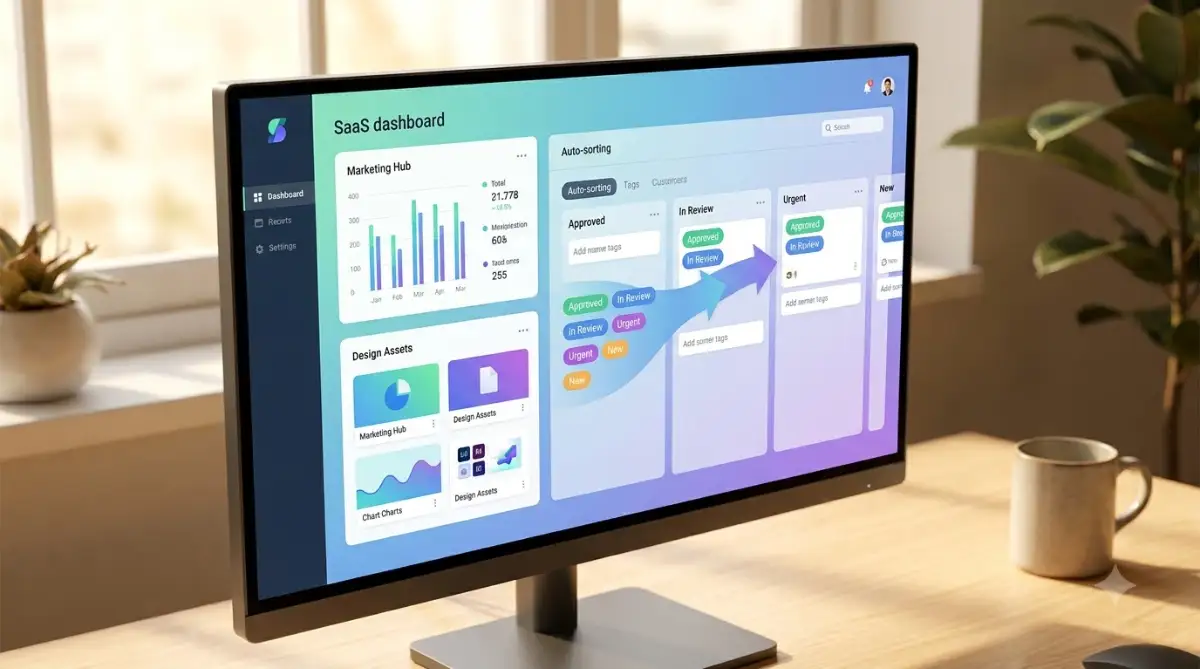
Instead, use your new tags to create custom viewing screens for every single department. You can set up a dashboard for the design team that exclusively shows documents tagged with "Graphics," "Brand Guidelines," and "Active." When a graphic designer logs in, they only see the exact files that matter to their specific role.
This approach is highly recommended by usability experts at the Nielsen Norman Group, who constantly emphasize the importance of personalized digital environments. A customized view removes digital clutter and helps your employees focus entirely on their assigned tasks.
Just like you would automate your social media posts using smart saas tools to reach the right audience, you must filter your internal data to reach the right employees. This hyper-focused approach makes your team feel supported and understood, drastically improving their overall job satisfaction.
Train the Software on Your Unique Jargon
Every single business has its own unique vocabulary and internal slang. Your company might call a customer presentation a "Pitch Deck," while the software's default dictionary might call it a "Slide Presentation." If the system does not understand your specific language, the automated tags will be highly inaccurate.
You need to spend a little bit of time teaching the algorithm your internal synonyms. Most modern software platforms have a simple settings menu where you can link specific words together. You can explicitly tell the machine that "Pitch Deck," "Client Slides," and "Sales Presentation" all mean the exact same thing.
When you are creating standard operating procedures for your team, you want the writing to be clear and engaging. Learning how to write a blog intro that actually keeps people reading is surprisingly similar to writing internal company guides; both require capturing the reader's attention instantly. By standardizing your internal language, your search engine becomes incredibly smart and reliable.

Dangerous Pitfalls That Will Ruin Your Data System
Building a smart workspace sounds amazing in theory, but the actual execution can sometimes go terribly wrong. I have seen highly successful business owners spend thousands of dollars on premium software, only to abandon the entire project a month later. They almost always fail because they fall into a few very predictable traps.
When a database system fails, the damage to your company culture is severe. Your employees will completely lose trust in management's ability to provide good tools, and they will stubbornly return to their messy personal folders. Recovering from a failed software launch takes months of painful apologies and rebuilding trust.
To protect your time, your money, and your mental health, you must navigate this transition very carefully. Let us discuss the most common mistakes people make so you can easily avoid them and ensure a smooth, stress-free rollout.
The Nightmare of Tag Bloat
The absolute biggest mistake you can make is creating too many tags right at the very beginning. When people discover how easy it is to label things, they go completely crazy. They start creating tags for every single micro-detail, resulting in a system that has five hundred different labels.
Having too many tags is actually much worse than having no tags at all. It is like having a giant drawer full of tangled charging cables where nothing is clearly labeled. When employees try to save a new file, they have to scroll through hundreds of confusing options, which completely paralyzes them.
According to information management specialists at AIIM, a successful digital taxonomy should be incredibly narrow and strictly controlled by an administrator. You should start with an absolute maximum of twenty broad tags and only add new ones when there is a clear, undeniable business need. Keep your system lean, mean, and highly intentional.
Quick Rule of Thumb for Tagging:
- Do this: Create broad tags like "Social Media Assets."
- Do not do this: Create highly specific tags like "Facebook Image for Tuesday Promo." (This leads to instant tag bloat).
- Do this: Audit your tags every 90 days and delete the ones nobody uses.
Feeding the Machine Garbage Text
An automated categorization algorithm is entirely dependent on the quality of the text it is reading. If your original documents are poorly written, disorganized, or full of random thoughts, the software will have no idea how to categorize them. It will simply guess, and it will usually guess completely wrong.
This directly leads to messy search results and highly confused team members. If you want to know how to stop ai hallucinations and fix machine generated text errors, the answer always starts with providing high-quality, clearly structured input data. Your original documents must have clear headings, standard fonts, and logical paragraphs.
Before you turn on the automatic tagging features, take a few days to clean up your most important files. Delete the weird formatting, fix the glaring typos, and ensure every document has a clear, descriptive title. Providing a clean foundation is the absolute best way to guarantee your software works exactly as advertised.
Ignoring the Human Element of Change
You can build the most advanced, technically perfect database in the world, but it is completely useless if your team refuses to log in. Business owners constantly forget that software transitions are deeply emotional events for their staff. People naturally hate changing their daily routines because it temporarily makes them feel incompetent.
You cannot simply send out a company-wide email on a Friday afternoon and expect everyone to use the new system by Monday. This kind of harsh, top-down management creates instant resentment and high levels of anxiety among your workers. As highlighted by Harvard Business Review on organizational transitions, successful adoption requires extreme patience and active listening from leadership.
You need to host small, friendly workshop sessions where you personally demonstrate the new system. Show them exactly how this new tool will save them an hour of frustrating work every single day. When you focus on solving their specific personal pain points, they will eagerly adopt the new technology without you having to force them.
Your Action Plan for a Smarter Workspace
We have covered a massive amount of technical ground today, from semantic search capabilities to building custom departmental dashboards. The idea of completely restructuring your company's information might feel a bit intimidating right now, but I promise you it is entirely manageable. You do not need to fix your entire business in a single afternoon.
Your very first step for tomorrow morning is to simply sit down with a blank piece of paper and write out your five biggest business categories. Do not buy any software, do not move any files, just sketch out a basic map of how your company actually operates. This small, simple exercise will instantly give you incredible clarity about what needs to happen next.
I want to assure you that this transition is entirely possible for your team. My own business completely changed when I finally stopped digging through messy folders and let the software do the heavy lifting. You deserve to work in a stress-free environment, so take that first step today and watch your daily productivity soar.
Frequently Asked Questions About Smart Data Management
How long does it actually take to set up an automated tagging system?
Setting up the basic rules and core categories usually takes a dedicated weekend for a small business. However, migrating your old files and training the algorithm to recognize your specific documents will take a few weeks of light adjustments. It is a gradual process, but you will start seeing immediate time-saving benefits within the very first week.
Can a small, independent business realistically afford this type of software?
Yes, absolutely. The SaaS market is highly competitive right now, meaning there are incredible enterprise-level tools available for just a few dollars per user each month. The money you save by recovering lost working hours will easily cover the monthly subscription cost of the software.
Will artificial intelligence accidentally delete my old files while sorting them?
No, modern categorization tools are designed with strict safety protocols that prevent accidental deletion. The software simply scans the text and attaches invisible digital labels to the file's metadata. Your original documents remain completely untouched, secure, and exactly where you originally uploaded them.
How do I get my stubborn employees to actually use the new database?
The best strategy is to clearly demonstrate how the new tool directly removes their daily frustrations. Host a quick screen-sharing meeting where you show them how easy it is to find a lost document in three seconds. When they realize the system makes their personal work life much easier, they will naturally abandon their old, messy habits.
Disclaimer: The information provided in this article is for educational and informational purposes only. We do not guarantee specific business results, and you should always consult with your IT department or a software specialist before restructuring your company's data architecture. We are not responsible for any data loss that may occur during software migrations.