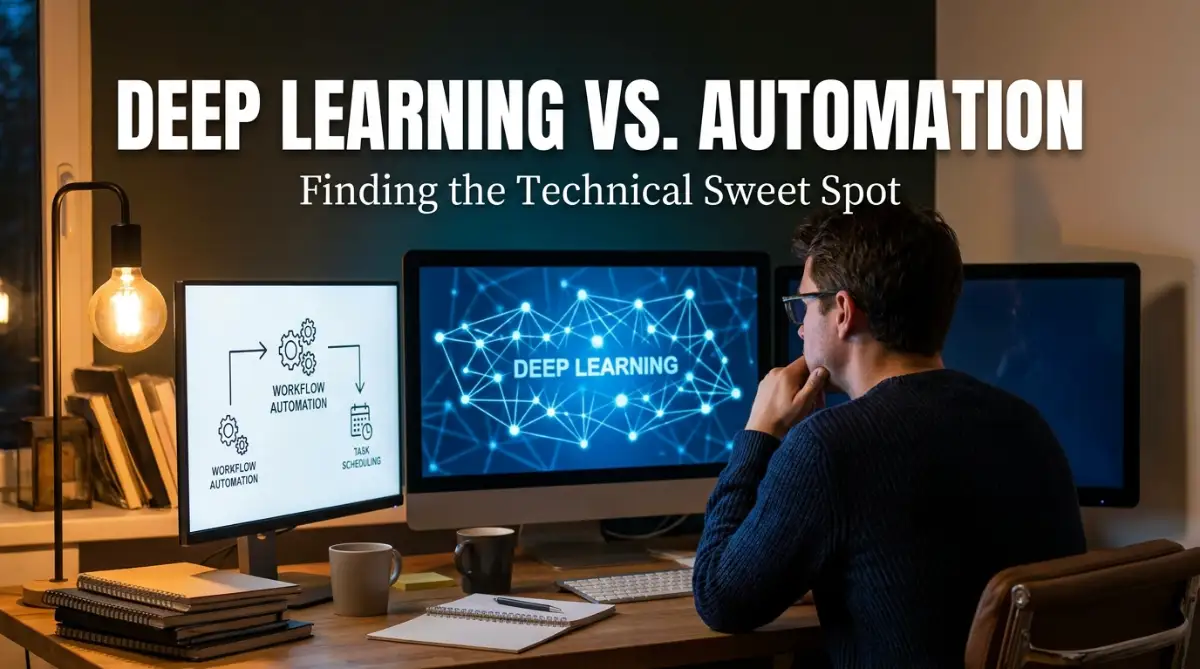
Why Mixing Smart AI With Basic Automation Broke My Brain
You finally buy that expensive AI tool everyone is raving about, expecting it to run your daily tasks on autopilot. But the minute you try to connect it to your everyday workflow apps, everything breaks down into a chaotic mess of error codes. If you are sitting there staring at your screen, wondering why a super-smart deep learning model cannot simply send a basic automated email, you are absolutely not alone. Today, we are going to fix that annoying disconnect. I will show you exactly how to bridge the gap between intelligent algorithms and simple software tools so your business can actually run on its own without driving you crazy.
Everyday people and business owners are facing this exact same nightmare right now. You buy a fancy new AI tool, hoping it will make your life easier and your business faster. But when you try to plug it into the simple software you already use, everything breaks down.
The reality is that your stress is completely justified. We are trying to force two completely different languages to speak to each other without a translator.
Understanding this invisible technical boundary is the first step to finally getting your software to work for you, rather than against you.
Decoding the Hidden Clash Between Two Different Technologies
To fix this exhausting problem, we first need to understand why these tools fight each other. It is not because you are setting things up wrong. It is because they were built with completely opposite mindsets.
Standard workflow automation is like a train running on a metal track. It needs strict, unbending rules to move forward safely.
If this happens, then do that. It is completely predictable, highly reliable, and very safe. There is no room for guessing.
On the other hand, deep learning algorithms are like an off-road vehicle exploring a dense forest. They do not follow a strict track.
Instead, they look at millions of data points, recognize hidden patterns, and make educated guesses. They thrive on flexibility, unpredictability, and constant learning.
When you try to put that off-road vehicle onto the strict metal train tracks, a crash is highly likely. The train tracks cannot handle the wild movements, and the off-road vehicle feels trapped.
The Myth of "Plug and Play" AI Integration
Software companies love to sell us the dream of instant integration. They promise that with one click, your predictive models will seamlessly run your daily operations.
But let us look at a realistic scenario. Imagine you run an online store.
You want a deep learning model to look at a customer's buying history and predict what they want next. You then want your standard workflow tool to email them a discount for that exact item.
Myth: The AI will just hand the product name to the email tool, and the email tool will send it.
Reality: The AI might predict a product that is currently out of stock. It might output a probability score of 85% instead of a simple product name.
Your email automation tool does not know what an "85% probability score" means. It only knows how to send an email if a specific text box is filled out.
Because the automation tool lacks instructions on how to handle probability scores, the whole process stops working. The boundary between the two systems becomes a hard wall.
Quick Comparison: Why the Crash Happens
To make this easier to picture, look at what your intelligent model thinks versus what your standard automation actually needs to see:
Building the Translator: A Practical Strategy

So, how do we actually fix this without losing our minds? We have to stop connecting them directly.
Instead, we need to build a middle layer. This middle layer acts as a translator between the highly intelligent AI and the rigid rule-based system.
Let us break down a highly practical approach you can start applying to your systems today.
Step 1: Define the Absolute Limits of Your Automation
Before you even touch an artificial intelligence tool, map out exactly what your basic automation can and cannot do. Write down the exact triggers it accepts.
Does it only accept plain text? Does it require a simple "Yes" or "No" command?
By knowing these strict boundaries, you know exactly what kind of information the deep learning model needs to provide. You are setting the ground rules.
Step 2: Force the AI to Simplify Its Answers
Deep learning loves to give complicated, highly detailed answers. You need to train or configure your model to round down its thoughts.
If the model predicts a customer is angry with a 92% confidence rate, do not pass "92%" to the next step. Set up a simple filter.
Tell the system: "If the score is above 90%, output the word 'Angry'. If it is below 90%, output the word 'Happy'."
Now, your workflow automation tool simply receives the word 'Angry'. It knows exactly what to do with that simple word.
I learned this the hard way after a chaotic product launch. I realized my main problem was expecting my basic email software to think like a human. Once I started forcing my advanced models to give simple "Yes or No" answers, my entire business process became completely automated and stress-free.
The Importance of Human Oversight Loops
Even with a perfect translator in the middle, you cannot leave these systems completely alone. Deep learning models can hallucinate or make weird predictions based on bad data.
If your standard automation blindly follows a bad prediction, you could end up sending the wrong message to thousands of customers.
Watch this video to understand exactly how to set up safety nets in your automated systems so you never send an embarrassing AI mistake to your clients again.
To prevent disasters, always add a human approval step for high-risk actions. If an algorithm predicts a customer should get a massive refund, do not automate the payment immediately.
Automate a message to a manager's slack channel instead. The automation does the heavy lifting of gathering the data, but a human makes the final, safest call.
This simple boundary protects your business reputation. It keeps the speed of machines but retains the safety of human judgment.
Recognizing When to Keep Things Simple
One of the biggest mistakes people make is over-complicating things. Not every standard workflow needs a massive neural network attached to it.
If you just need to move attachments from an email into a cloud storage folder, simple rule-based automation is perfect. Adding artificial intelligence here will just make it slow and expensive.
You should only bring in advanced predictive models when the standard rules are no longer enough.
For example, if you get hundreds of emails a day and you need a system to understand the emotional tone of each message. A simple rule-based system cannot read human emotion.
That is the exact moment you cross the boundary and bring in the smart algorithms. You use the AI to read the emotion, and you use the automation to organize the files.

Designing Failsafes for Unpredictable Data
Because intelligent models learn and adapt, their outputs can change over time. What happens if the AI suddenly provides a totally new category of data?
Your basic automation will not know what to do. It will crash because the new category is not in its rulebook.
To solve this, you always need a "catch-all" rule.
This means you tell your workflow: "If you receive a command that you do not recognize, do not crash. Instead, send this weird data to a special folder."
This acts as a pressure valve. It keeps the main system running perfectly while quietly collecting the errors for you to review later.
How Machine Learning Impacts Everyday SaaS Tools
Today, almost every software platform claims to be powered by artificial intelligence. But under the surface, they are often just basic trigger systems disguised as smart tools.
True deep learning requires massive amounts of processing power. It requires systems that can adjust their own behavior without you telling them to.
When you connect real machine learning to a standard SaaS tool, you are basically plugging a supercomputer into a basic calculator.
You have to manage the flow of information carefully. The calculator can only digest small, simple numbers at a time.
If you dump the entire supercomputer's data into it at once, the calculator breaks. This is why API rate limits and data formatting are so important.
Real-Life Scenario: The Holiday Sale Disaster
Let me paint a picture of why you cannot ignore this step. Last year, a friend of mine connected a highly advanced customer behavior model directly to his basic email marketing tool right before a huge holiday sale. The AI analyzed 5,000 customers in ten seconds and tried to push all 5,000 personalized emails through the API doorway at the exact same moment. The email software panicked, locked the account for "spam activity," and completely shut down his holiday campaign. A simple delay timer would have saved him thousands of dollars in lost sales.
Why You Should Care About API Endpoints
Think of an API as a specialized doorway between your smart algorithms and your standard workflow tools.
If the doorway is too small, the data gets stuck. If the doorway is strictly shaped like a square, and your algorithm tries to push a round shape through, it fails.
You do not need to be a programmer to understand this concept. You just need to know that the data leaving the AI must perfectly match the shape of the doorway.
Often, you can use simple tools like webhooks to catch the complex data. Then, you use a simple formatting tool to reshape the data before passing it through the API doorway.
This extra step might seem annoying at first. But it is the absolute best way to ensure long-term stability in your digital operations.
Managing Expectations and Mental Health
Dealing with technology boundaries can be incredibly frustrating. It is perfectly normal to feel overwhelmed when systems that are supposed to make life easier end up creating more work.
Take a step back and celebrate the small wins. If you get a smart algorithm to successfully trigger just one simple automated email, that is a massive victory.
Do not try to automate your entire business in one weekend. Start small, build reliable translators between your tools, and scale up slowly.
By respecting the technical boundaries between these two different worlds, you will build systems that are actually helpful. You will win back your time and finally experience the true benefits of modern software.
Mastering the Hidden Mechanics of Smart Software Systems
Once you understand that intelligent algorithms and strict workflows speak two entirely different languages, you can start doing some real magic. The goal is no longer just connecting tools together and hoping for the best.
Your new goal is to build a reliable, predictable bridge between deep thinking software and simple execution tools. Let us explore some advanced strategies that will keep your systems running smoothly for the long haul.
These are not overnight tricks. These are tested methods to protect your digital operations from breaking down when software updates happen.
By applying these ideas, you will drastically reduce the amount of time you spend fixing error messages. You will finally get to experience the hands-off business operations everyone always talks about.
Designing a Bulletproof Data Middleman
If you want your smart models to successfully hand over information to your daily apps, you must build a middleman. This is a simple formatting step that happens right after the AI does its thinking.
Do not ever let your predictive model send a raw answer straight to your final app. It will eventually send something completely unreadable.
Instead, send the raw answer to a simple text-formatting tool first. This tool will strip away extra spaces, remove weird symbols, and make sure the text perfectly matches what your final app expects.
If you are managing daily emails with smart AI tools, this middleman step is non-negotiable. It ensures your email platform never accidentally sends a raw line of code to a confused customer.
Dialing Down the Creativity for Better Reliability
Deep learning models have a setting often called "temperature." This setting controls how creative or unpredictable the output will be.
When you are writing a poem, high temperature is great because it gives you unique words. When you are passing data into a strict workflow tool, high temperature is a complete disaster.
You need your model to give you the exact same style of answer every single time.
You must lower the temperature of your algorithms to zero when combining them with standard triggers. This simple adjustment forces the machine to give boring, highly predictable answers.
Boring is exactly what basic automation needs to function without crashing. If you struggle to stop AI hallucinations and fix machine-generated text errors, adjusting this single setting will change your life.
The "Do's and Don'ts" of Smart Trigger Rules
Let us look at a practical checklist for setting up your software triggers. These small adjustments will prevent massive headaches down the road.
Do use strict drop-down menus: Whenever possible, force your intelligent model to choose an answer from a pre-written list. If it tries to invent a new category, your workflow will drop the data.
Don't rely on broad text summaries: Asking a model to summarize a document and send it to your team sounds great. But if the summary is too long, it might break the character limits of your messaging app.
Do set up delay timers: Sometimes, machine learning tools take a few seconds to process complex requests. If your basic automation moves to the next step instantly, it will grab empty data. Adding a simple five-second delay between steps gives the system time to catch up.
Understanding these timing rules is heavily discussed in leading business automation trends. Rushing the transfer of data is the number one reason workflows fail.
Managing the Cost of Endless Processing
Connecting complex models to every single daily task gets expensive very fast. Every time the algorithm thinks, it costs you processing credits.
You must audit your operations and ask if a task really needs deep analysis. Often, simple conditional rules can do the exact same job for free.
Learning how to stop wasting money managing cloud tool subscriptions easily means knowing when to turn the expensive brain off. Save your AI credits for tasks that actually require human-like judgment.

The Hidden Traps That Will Destroy Your Workflows
Even with a great plan, people naturally fall into a few very common traps. I have watched business owners tear their hair out because they made one small misstep in their system architecture.
These mistakes do not just waste time. They can ruin your reputation, confuse your clients, and burn through your software budget in a matter of hours.
Let us carefully review the biggest pitfalls so you can actively avoid them from day one.
Trap 1: Removing the Human Safety Net Too Soon
The most dangerous thing you can do is give an artificial intelligence complete control over a customer-facing process without oversight. It feels incredibly cool to watch a machine handle fifty customer complaints in a minute.
But what happens when the machine completely misunderstands a sarcastic email?
I know someone who let their smart software automatically approve refunds based on email tone. The system misread a joke from a customer and instantly refunded a massive software package.
By the time the owner noticed, thousands of dollars were gone. You must always build an approval step into high-risk automations.
Just like knowing what really happens when your EV dies on the road and how to handle it, you need an emergency response plan for your software. Do not ever assume the machine will run perfectly forever.
Trap 2: Ignoring API Rate Limits

We talked earlier about APIs acting like doorways between different apps. What most people forget is that these doorways have strict traffic limits.
If you try to push three hundred data requests through a basic software doorway in one second, the doorway locks itself. This is called a rate limit error.
Your deep learning model can process information incredibly fast. Your basic marketing or sales software probably cannot absorb information at that same speed.
When you try to automate your social media posts using smart SaaS tools, passing data too quickly will get your account temporarily banned. You have to tell your advanced systems to slow down and wait their turn.
If you ignore this, you will wake up to hundreds of failed task notifications. Fixing those broken tasks manually takes way more time than just doing the job yourself in the first place.
Trap 3: Treating Predictive Models Like Static Databases
A standard database gives you the exact same answer every single time you search for a specific word. A deep learning model does not work like that at all.
Intelligent models guess the best possible answer based on probabilities. This means the exact same input might give you a slightly different output on a different day.
If your standard automation is strictly waiting for the word "Apple" but the model outputs "Green Apple", the workflow completely freezes.
The most trusted artificial intelligence index reports constantly warn developers about this exact problem. You have to build workflows that expect slight variations in data.
If you demand rigid perfection from a fluid system, you will always be disappointed. Design your rules to accept a range of acceptable answers, not just one perfect phrase.
Trap 4: Overcomplicating the First Step
When people discover the power of these new tools, they try to build a massive, 20-step automated sequence on their very first day. This is a guaranteed path to failure.
When a 20-step workflow breaks, finding the specific step that caused the crash is like looking for a needle in a haystack. You will spend hours digging through logs and error codes.
Start with a single trigger and a single action. Once that runs perfectly for a week, add one more step.
Whether you are designing a complex sales funnel or simply learning how to write a blog intro that actually keeps people reading, mastering the basics first is the only way to succeed. Keep your foundations painfully simple before you build the complex layers on top.
Your Personal Blueprint for Smarter Digital Operations
We have covered a massive amount of technical ground today, but the core message is actually very simple. Do not force intelligent software to play by basic rules without giving it a translator.
You are entirely capable of building amazing systems that run quietly in the background of your life. You do not need to be a senior software engineer to make this happen.
You just need to respect the boundaries between how a smart model thinks and how a standard tool acts.
By building solid middle layers, setting strict formatting rules, and keeping a human eye on the final outputs, you will completely eliminate the daily frustration.
The biggest tech companies in the world follow these exact same generative AI strategy guidelines to keep their massive platforms stable. You can use the exact same logic for your own personal projects.
Instead of fearing software updates or weird error codes, you will have the confidence to build and experiment. You will start looking at your daily repetitive tasks as fun puzzles to solve, rather than heavy burdens to carry.
Remember, the goal of all this technology is to buy back your time and protect your mental energy.
I know exactly how overwhelming it feels to stare at a screen full of broken automation steps. But I promise you, once you start building these simple translators between your tools, everything clicks into place and your daily work becomes incredibly peaceful. You absolutely have what it takes to master these tools, so start small today and watch your productivity completely transform.
Common Questions About Blending AI With Daily Workflows
Why does my automation tool reject data from my AI software?
Your standard tool probably requires a very specific format, like plain text or a simple number. If your intelligent software sends extra symbols, conversational words, or weird spacing, the receiving tool cannot read it and simply blocks the entire transfer.
Do I need to know how to code to connect these platforms?
You absolutely do not need to be a programmer to connect these systems today. Modern integration platforms use simple drag-and-drop screens where you can visually map the data from one tool to another without writing a single line of code.
How can I stop my intelligent algorithms from making wild guesses?
You need to lower the "temperature" setting in your model if it is available, which forces it to give more predictable and direct answers. You should also write extremely specific prompts that tell the model exactly what words it is allowed to use.
Is it safe to automate my customer service replies completely?
It is highly recommended that you never fully automate sensitive customer interactions without a safety net in place. Always design your system to draft the intelligent reply automatically, but require a human team member to click the final send button.
What is the best way to test a new automated workflow?
Always run your new system using a set of completely fake test data before you ever connect it to real client accounts. Watch the process closely for a few days to ensure the smart software is not generating unexpected formats that could break your downstream tools.
Disclaimer: The information provided in this article is for educational and informational purposes only. Software tools, platform rules, and integration methods change frequently. Always test your automated workflows with fake data before applying them to your live business operations or customer communications. We are not responsible for any data loss, financial impact, or software errors resulting from the implementation of these strategies.