My Embarrassing Encounter with Fake AI Facts
I will never forget the day I almost lost my biggest client due to a simple software mistake. I was preparing a massive industry report and decided to use a popular AI writing tool to help me summarize some market trends.
The output looked incredibly professional, well-formatted, and highly convincing. I trusted the machine completely, copied the text, and sent it straight to the client's inbox.
Just an hour later, my phone rang. My client asked me where I found the data about a specific company merger that had never actually happened. I froze in my chair, realizing the AI tool had completely made up an event just to sound smart.
My heart sank, and my hands actually started sweating. I had to apologize profusely, deeply embarrassed that I had not double-checked the machine-generated text.
That painful experience forced me to rethink how I interact with artificial intelligence. I realized that treating AI like an all-knowing oracle is a massive mistake.
These smart tools are incredibly helpful, but they also have a nasty habit of inventing facts out of thin air. This phenomenon is commonly known as an "AI hallucination," and it is driving content creators completely crazy.
Why Smart Algorithms Sometimes Act Like Confident Liars
You might be wondering why a machine with access to billions of data points would just invent a fake story. It happens because these systems do not actually "think" or "know" things the way humans do.
They are essentially giant prediction engines. They look at the words you typed and try to guess the most likely word that should come next.
Think of it like the autocomplete feature on your smartphone keyboard, but on massive steroids. If the machine cannot find the exact correct data, it does not simply say, "I do not know."
Instead, it mathematically predicts a word that sounds correct in that context. The result is a beautifully written sentence that is fundamentally false.
This creates a massive headache for everyday users. We expect software to be precise, like a calculator. When a calculator gives you an answer, you trust it blindly because math is absolute.
But language models are not calculators. They are storytellers, and sometimes they get a little too creative for their own good.
The Real-World Impact of Fake Information
The daily struggle of dealing with these fake facts is real. Professionals everywhere are wasting hours trying to verify whether the data in front of them is true or entirely fabricated.
Instead of saving time, many people find themselves trapped in an endless cycle of extreme paranoia. You generate an email, a report, or a code snippet, and then you spend double the time checking it line by line.
This ruins your peace of mind and completely destroys the productivity benefits you originally wanted. Small business owners rely on these tools to write marketing copy, but one fake claim about a product can lead to a terrible customer experience.
Lawyers have even faced severe penalties in court because they submitted legal briefs containing fake case laws generated by software. It is a widespread issue that touches almost every industry right now.
You feel anxious every time you hit the "publish" button. That nagging voice in your head asks, "Did the machine just lie to me again?"
Unmasking the Core Issue: Myth vs. Reality
Before we jump into the exact solutions, we need to clear up some common misunderstandings. People have weird ideas about how machine-generated text actually works.
Myth: The software searches the internet in real-time to give you absolute facts.
Reality: Most standard models rely on pre-training data and do not browse the live web unless you specifically give them a search command.
Myth: If the text sounds highly academic and uses big words, it must be accurate.
Reality: A language model is designed to sound confident, meaning it will lie to you with perfect grammar and absolute authority.
Myth: The developers will eventually program the software to never make a mistake again.
Reality: While tools are getting smarter, predicting text based on probability means the risk of error will always exist to some degree.
Understanding these realities is your first line of defense. When you lower your blind trust, you automatically become a better editor.
Actionable Frameworks to Spot and Fix AI Errors Instantly
Now that we know why this frustrating problem happens, we need practical ways to handle it. You do not need to be a software engineer to force these tools to behave properly.
By simply changing how you talk to the machine and how you review its text, you can almost completely eliminate these errors. Let's break down some everyday strategies you can start using this afternoon.
Giving the Machine Extremely Narrow Boundaries
The biggest mistake people make is asking open-ended questions. If you ask a machine, "Tell me about the history of solar panels," you are giving it too much room to guess.
Instead, you need to build walls around your request. You should tell the software exactly what information it is allowed to use and what it must avoid.
Here is a powerful trick: Always include a strict boundary command in your initial prompt. You can type something like, "Only use facts from the provided text, and if the answer is not there, reply with 'I cannot find this information.'"
This forces the system to stop guessing. It changes the software from a creative storyteller into a strict data extractor.
By limiting its freedom, you drastically reduce the chances of it making things up. It is like telling a hyperactive child to color only inside the lines.
Pro Tip: I used to think that writing longer, more complex prompts would confuse the machine. I quickly realized my mistake; the more detailed and restrictive my instructions became, the more accurate the output was. Now, I always assign the AI a specific persona and give it a strict set of rules before asking for any facts.
The "Show Your Work" Strategy
Do you remember your math teacher telling you to show your work on a test? You can force artificial intelligence to do the exact same thing.
Instead of just asking for a final answer, ask the software to explain its reasoning step by step. When the machine has to logically break down its thought process, it is much less likely to spit out a random fake fact.
You can add a simple sentence to your request: "Before giving me the final answer, outline the steps you took to find this information."
This makes it incredibly easy for you to spot where things went wrong. If the machine starts its explanation with a flawed assumption, you can stop reading right there.
You catch the hallucination in the early stages before it becomes a fully formed fake story. This small change in your workflow saves you a massive amount of editing time later.
Want to see a brilliant breakdown of how to structure these specific commands? Watch this detailed explanation below.
Implementing the Cross-Verification Method
Never rely on a single source of truth when dealing with important data. If one tool gives you a specific statistic, open a completely different tool to check it.
Even better, use a traditional search engine to verify the claim manually. The golden rule is simple: Trust, but verify.
If you ask an AI to write a blog post about health benefits, pull out every single medical claim it makes. Put those claims into a separate document.
Then, run a quick web search to see if actual medical journals support those specific claims. This might sound like extra work, but it is much faster than dealing with a ruined reputation.
Treat the machine like a highly enthusiastic intern. The intern means well and works incredibly fast, but you still need to review their work before showing it to the boss.
Building a Human-in-the-Loop Content Pipeline
We need to completely stop the idea of "zero-click publishing." If you are generating text and publishing it immediately without human review, you are walking into a trap.
A "Human-in-the-loop" workflow means that software does the heavy lifting, but a real person always makes the final decision. You can structure your daily work to make this process smooth and painless.
First, let the software generate the raw ideas, outlines, and rough drafts. Second, an actual human steps in to rewrite the emotional parts and verify the hard data.
Finally, you can use another simple tool just to check for grammar and spelling. This guarantees that your final text is both scientifically accurate and emotionally engaging.
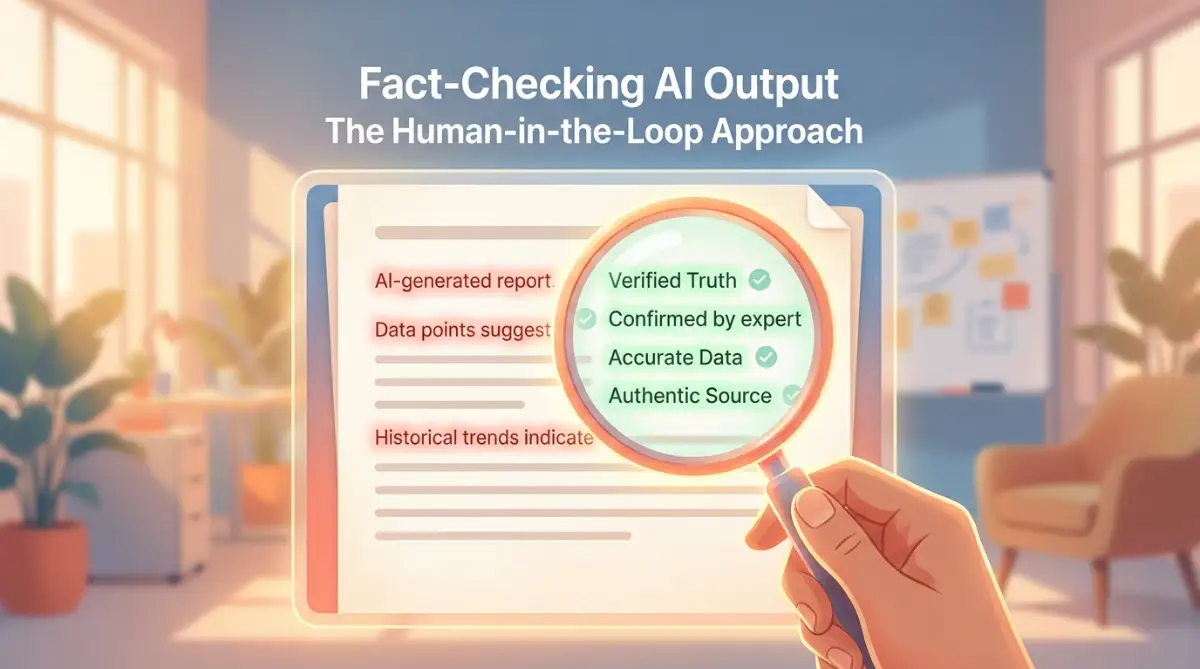
AI Fact-Checking vs. Human Fact-Checking
To make this even clearer, let's look at a simple comparison of how different workflows handle data verification.
As you can see, relying purely on the software gives you speed, but it completely destroys your accuracy. Blending human intelligence with machine speed gives you the best results every single time.
Feeding the Machine Your Own Verified Data
One of the most powerful ways to stop fake text is to provide the actual facts yourself. Do not ask the software to search its memory for information about your company.
Its memory is foggy, outdated, and prone to making up random details. Instead, upload your own clean documents directly into the chat window.
You can paste your actual product manuals, meeting transcripts, or previous blog posts right into the prompt. Then, command the software to write a summary based only on the text you just provided.
Because the machine is working directly with the data you gave it, the risk of it hallucinating drops to near zero. It no longer has to guess what your product does; it just reads the manual you handed over.
This strategy is an absolute lifesaver for people who need to generate highly technical or industry-specific documents. You get the perfect grammar of the machine combined with the perfect accuracy of your own files.
Recognizing the Warning Signs of a Fake Answer
You can actually learn to spot a hallucination just by looking at how the text is written. When a machine is guessing, it often uses very specific types of language.
First, look out for overly generic statements. If the text says "Many researchers believe" without naming a single specific researcher, you should be highly suspicious.
Second, pay attention to dead links or fake references. Sometimes the software will give you a beautifully formatted link to a website, but when you click it, the page does not exist.
This happens because the tool knows what a URL should look like, so it just invents a fake one that looks realistic. It is a classic sign that the machine is struggling to find real facts.
Third, watch out for sudden changes in tone or logical contradictions. If paragraph one says a product is free, and paragraph three mentions a monthly fee, the software has lost its train of thought.
When you see these red flags, stop reading immediately. You need to delete the text and start your prompt over from scratch.
The Role of Temperature in AI Settings
If you use advanced software platforms, you might have noticed a setting called "Temperature." This is essentially a slider that controls how creative the machine is allowed to be.
A high temperature means the software will take wild guesses and use highly unique words. This is great if you are writing a fictional story or a poem.
However, if you are writing a factual report, a high temperature is your absolute worst enemy. It practically guarantees that the system will invent fake facts to sound more creative.
When you need accuracy, you must always lower the temperature setting to zero or very close to it. This forces the system to choose the most predictable, logical, and safe words available.
It makes the writing slightly more boring, but it makes the facts incredibly solid. Always check your settings before you start working on an important project.
Dealing with the Emotional Toll of Constant Checking
Let's be honest about the mental side of all this. It is genuinely exhausting to constantly second-guess everything on your screen.
When I first started using these tools heavily, I felt like a paranoid school teacher grading bad essays all day. I was constantly stressed that a fake number would slip through the cracks.
You have to accept that AI is not a magic wand that does your job for you. It is just a highly advanced typewriter that needs a very strict operator.
Once you change your mindset from "the machine will do it all" to "the machine is just my assistant," your stress levels will drop. You expect the assistant to make mistakes, so you are prepared to catch them.
Create a personal checklist for every piece of content you generate. Check names, check dates, check statistics, and then finally check the emotional flow.
When you have a structured system in place, the anxiety of publishing machine-generated text completely disappears. You can finally enjoy the speed benefits without constantly looking over your shoulder.
Master-Level Strategies to Force Absolute Accuracy
Once you understand the basic rules of managing artificial intelligence, it is time to level up your approach. You need strategies that prevent bad data from ever generating in the first place.
The secret lies in understanding how the software processes your instructions before it types a single word. Most people just type a question and hit enter, hoping for the best.
Professionals use a method called "context anchoring" to lock the machine into a specific set of rules. This means you provide the exact boundaries, the exact persona, and the exact source material all in one massive instruction.
If you want to master crafting precise software commands, you have to treat the machine like a highly intelligent but easily distracted assistant. You must give it a highly specific frame of reference.
When you anchor the software to a specific document, it stops trying to remember things from its massive database. Instead, it only looks at the document you just handed to it.
Researchers at top computer science programs often refer to this as reducing the creative variance of the model. You can read a fascinating breakdown of how context grounding stops fabricated data to see the science behind this method.
The Self-Correction Prompting Technique
Another incredibly powerful strategy is forcing the software to double-check its own work before showing it to you. You can literally ask the machine to act as its own editor.
After you give your initial command, add a second instruction at the bottom of your prompt. Tell the software, "After you write the answer, review it for factual errors and correct any statements you cannot prove."
This technique creates a loop where the machine generates the text and immediately scans it for inconsistencies. It is remarkably effective at catching those weird, random hallucinations.
Think of it like asking a student to proofread their essay before handing it to the teacher. The software will often catch its own logical mistakes if you simply remind it to look for them.
This simple extra sentence can save you hours of manual editing and cross-checking. It acts as an automated safety net for your daily workflow.
Creating a Custom Knowledge Library
If you use these tools for business, you should never rely on the built-in memory of the software. The built-in memory is a chaotic mix of random internet data, which is highly unreliable.
Instead, you need to build your own mini-database of verified facts. Keep a simple text document on your computer filled with your company history, product specs, and accurate industry statistics.
Every time you start a new chat with the software, paste this entire document into the window first. Tell the machine, "This is my verified knowledge base; never use any outside information when answering my questions."
This completely shuts down the hallucination engine. The software no longer has to guess what your pricing structure is because you just handed it the official pricing sheet.
By building this private library, you take absolute control over the output. You guarantee that every single claim the machine makes is backed by your own hard data.
Navigating the "Hallucination by Formatting" Trap
Sometimes, the software will lie to you by creating beautiful, completely fake charts or tables. Because the information looks so organized, our human brains automatically assume it must be true.
You must train yourself to look past the pretty presentation. Just because a machine generated a perfect bulleted list does not mean the information inside those bullets is accurate.
This visual trickery happens often when you ask the software to compare two different products or summarize financial data. It will neatly align fake numbers just to make the table look complete.
To combat this, always extract the raw text from the table and verify the core numbers independently. Do not let clean design blind you to messy facts.

The Dangerous Traps Content Creators Keep Falling Into
Even with the best strategies, human psychology often gets in the way of clean data. We want so badly to finish our work quickly that we ignore massive red flags staring right at us.
The biggest trap of all is something psychologists call "automation bias." This is a fancy term for our natural tendency to trust machines more than we trust ourselves.
When you see a beautifully written paragraph pop up on your screen in three seconds, your brain assumes it is flawless. You might even ignore the hidden formatting mistakes that make the text look totally unnatural to your readers.
This blind trust is incredibly dangerous, especially if you are publishing content for a business or a personal brand. One fake statistic can destroy years of hard-earned credibility in an afternoon.
Imagine sending an email newsletter with fake medical advice or completely fabricated stock market trends. The damage to your reputation would be almost impossible to fix.
Using Software for the Wrong Purpose
Another massive pitfall is treating a language model like a live search engine. These tools are amazing at organizing words, but they are generally terrible at retrieving real-time news.
If you ask the machine for the latest updates on a breaking news story, it will likely invent a narrative based on old patterns. It simply does not know what happened this morning.
Google has specific guidelines on producing reliable, helpful content that heavily penalize sites publishing fake or scraped data. If you blindly copy-paste unverified AI news, search engines will completely bury your website.
You must always separate the task of "writing" from the task of "researching." Use traditional search engines and trusted news sites to find your facts.
Only use the artificial intelligence to help you rewrite or organize the facts you already gathered manually. Mixing these two distinct steps together is a guaranteed recipe for a hallucination disaster.
Ignoring the Emotional Disconnect in Fake Text
When a machine makes up a story, it usually lacks genuine human empathy. The text might sound professional, but it feels incredibly hollow and robotic.
If you are writing about sensitive topics, this lack of empathy is a massive warning sign. For example, if you are guiding people on how to navigate risky business loans, a robotic tone will instantly alienate your reader.
A machine might invent a fake scenario about a business owner going bankrupt, and describe it with zero emotion. Real human readers immediately sense that something is deeply wrong with the text.
When you review your generated output, you must read it out loud. If the words sound completely unnatural or overly dramatic without any real substance, you are likely reading a hallucinated scenario.
Your human intuition is your strongest weapon against bad software. If a paragraph feels slightly "off," delete it immediately and write it yourself.
The Security and Privacy Blind Spots
Many people make the terrible mistake of feeding highly sensitive personal information into these public chat tools. They paste client emails, financial records, or private business strategies just to get a quick summary.
This is a massive security risk. When you input private data, you are essentially handing it over to the software company, and that data might be used to train future models.
Always use placeholder names or completely remove sensitive numbers before you ask the machine to review a document. You have to protect your digital footprint just like you would protect your private domain registration details from scammers.
Furthermore, relying on machine-generated advice for serious life decisions can lead you straight into a scam. Many people use these tools to find job opportunities, only to discover highly convincing fake remote job offers because the AI scraped data from a malicious website.
The software cannot tell the difference between a legitimate company and a clever scammer. It just reads the text and presents it to you as absolute truth.
Taking Back Absolute Control of Your Content Quality
You do not have to live in fear of your software constantly lying to you. By changing your daily workflow, you can turn these tools into incredibly reliable assistants.
It all comes down to setting strict boundaries, providing your own verified data, and never skipping the human review process. You are the final editor, and the machine is just the typist.
Make a habit of using negative prompts to restrict the software's creativity when you need hard facts. Always ask the machine to show its reasoning so you can catch logical flaws early.
Remember that these platforms are designed to predict language, not to act as absolute encyclopedias of truth. When you adjust your expectations, you dramatically reduce your daily frustration.
Instead of getting angry when the software hallucinates, treat it like a minor bug that you already know how to fix. You just need to tweak the hidden backend settings of your prompt, much like fixing a dying battery on a smart device.
The power is completely in your hands. You just have to be willing to spend an extra two minutes guiding the machine in the right direction.
My Personal Guarantee: I used to let these weird AI mistakes ruin my entire writing schedule. Once I realized that I am the pilot and the software is just the engine, everything clicked into place. I started demanding absolute precision in my prompts, and my stress levels completely vanished. You can absolutely master this skill, and it will change the way you work forever.
Common Questions About Fixing Machine-Generated Output
Why does the software make up fake website links?
The machine does not actually browse the internet to verify if a website exists. It simply knows the mathematical pattern of how a URL is supposed to look. Because it is trying to please you by providing a complete answer, it mathematically invents a fake link that looks incredibly realistic.
Can I train the machine to stop lying completely?
You cannot permanently change the core programming of a public language model. However, you can temporarily stop it from lying during your specific chat session by giving it extremely strict rules. If you tell it to only answer using a specific document you provide, you basically eliminate its ability to guess.
Is there a tool that detects these hallucinations automatically?
There are a few premium fact-checking software options available, but none of them are perfect. Most professionals rely on a combination of strict prompting and manual web searching to ensure accuracy. The best detection tool is still a skeptical human being doing a quick background check.
How much time should I spend fact-checking?
You should aim to spend at least half the time you saved on generating the text on reviewing it. If the software saved you two hours of typing, spend a solid twenty minutes verifying the core claims. This small time investment guarantees your final output is safe and highly trustworthy.
Will paid versions of the software hallucinate less than free versions?
Yes, paid versions usually run on much more advanced models with better reasoning capabilities. They are generally better at following complex instructions and staying within the boundaries you set. However, even the most expensive models will still hallucinate if you ask them vague or overly broad questions.
Disclaimer: The information provided in this article is for educational and informational purposes only. While every effort has been made to ensure the accuracy of these strategies, software systems update frequently and their behaviors may change. Always perform independent verification and consult professional guidelines when publishing machine-generated content for business, legal, medical, or financial purposes.