
Why Talking to AI Often Feels Like Hitting a Brick Wall

You open up a new chat tab, type in a simple question, and boom—the machine spits out a giant wall of robotic nonsense. Sound familiar? Last week, I spent two hours fighting with a smart tool just to get a basic email draft. It felt like trying to teach algebra to my cat. But I finally cracked the code, and I am going to show you exactly how to get perfect answers on your very first try, without needing a degree in computer science.
But I quickly realized that I am not alone in this extremely exhausting everyday struggle. So many people open up these amazing new software tools hoping for a magic solution to their heavy workload. Instead of finding relief, they just get stuck in an endless, frustrating loop of typing and re-typing questions.
The honest truth is, writing a good instruction for a machine has absolutely nothing to do with programming skills. It is just about clear, everyday human communication and knowing exactly what you want to achieve.
Once you learn how to talk to these machines properly, your daily productivity and mental clarity will change completely. You will stop guessing, stop stressing, and finally start getting the exact answers you need on the very first try.
The Hidden Science of Clear Machine Communication
To fix this problem, we need to understand how these smart systems actually process human words. These tools do not think like human beings, nor can they read your mind to fill in the blanks. They operate on a scientific principle called natural language processing, which means they simply predict the next logical word based on what you tell them.
When you give a vague command, the system scrambles to guess what you mean, pulling random information from its vast memory. That is why your answers often look like a confusing mess of unrelated ideas. If you want a specific outcome, you have to provide specific boundaries for the machine to operate within.
Think of it like ordering food at a busy restaurant. If you just walk up to the counter and say, "Give me food," the chef has to guess what you want, how much you want, and if you have any allergies. You might end up with a spicy soup when you really wanted a sweet dessert.
However, if you say, "I want a grilled chicken salad with dressing on the side," you get exactly what you ordered. The exact same logic applies to software tools. You are the customer, and the system is the chef waiting for your exact order.
Real-World Example: Fixing a Terrible Prompt
| How People Usually Type (The Bad Way) | How You Should Type (The Pro Way) |
| :--- | :--- |
| "Write a blog about dogs." | "Act as an expert vet. Write a 300-word blog post about the best diet for senior Golden Retrievers. Keep the tone friendly and use bullet points." |
| "Help me plan a trip." | "I am traveling to Tokyo for 3 days with my kids. Create a daily itinerary focusing on free outdoor activities. Present it in a table format." |
Step 1: Setting the Ultimate Stage (The Context Rule)
The biggest mistake beginners make is jumping straight into a command without giving any background information. You have to remember that the software starts with a completely blank memory every single time you open a new chat. It has no idea who you are, what your goals are, or why you are asking a particular question.
To get a highly accurate answer, you must start by setting the scene. Tell the machine exactly what project you are working on and why it matters.
For example, instead of asking for a list of healthy meals, explain your current situation. Tell the software that you are a busy parent trying to find quick dinners that take less than thirty minutes to prepare. By adding this simple background story, you immediately narrow down the machine's focus.
This simple addition acts like a magnifying glass for your request. It filters out all the useless information that does not apply to your specific situation. As a result, you get a highly targeted, useful answer that you can apply immediately.
Step 2: Assigning a Powerful Job Title (The Persona Strategy)
Did you know that you can completely change the tone of an answer just by giving the machine a specific role to play? This is one of the most effective techniques in our beginner framework. When you assign a job title, you force the system to adopt the expertise and communication style of that specific profession.
Pro Tip: I used to get incredibly boring and robotic emails from AI until I started telling it to act like a friendly customer service manager. My open rates instantly went up, and I realized that setting a persona is the ultimate shortcut to sounding more human.
If you want legal information explained simply, tell the machine to act like a friendly law professor talking to a middle school student. If you want marketing ideas, ask it to take on the role of a top-tier advertising director.
This strategy prevents the software from giving you generic, Wikipedia-style summaries. It adds personality, depth, and professional formatting to the output without you having to write complex instructions.
Before You Continue, Watch This Quick Breakdown:
If you want to see exactly how these small changes look in real-time, this simple visual demonstration will completely change how you approach your next project.
Step 3: Drawing the Boundary Lines (The Power of Constraints)
Sometimes, telling a machine what NOT to do is just as important as telling it what to do. Smart software loves to over-explain things, often giving you a huge wall of text when you only needed a short paragraph. To prevent this headache, you must set clear limitations right from the start.
You can do this by using simple, everyday words to restrict the output. Tell the system exactly how many words, paragraphs, or bullet points you want. If you only have time to read a short summary, explicitly state that the answer must be under one hundred words.
You should also restrict the style of the language. If you hate corporate jargon, add a sentence saying, "Do not use complicated business terms or robotic language." This single sentence acts as a protective shield against unwanted fluff.
By setting these boundaries, you take complete control of the steering wheel. The machine is no longer guessing how much information you need, which saves you the trouble of reading through useless paragraphs.

Step 4: Designing Your Dream Output Format
Another secret to avoiding frustration is demanding a specific layout for your answers. Most people just accept the standard, blocky text paragraphs that the machine spits out by default. But you actually have the power to format the text in any way that makes your life easier.
If you are planning a trip, ask the software to present the information in a neat daily schedule. If you are comparing two different products, explicitly ask for a side-by-side comparison table. You can even ask for the information to be organized into a simple checklist.
Here is a quick look at how you can organize information simply:
- The Checklist Format: Best for step-by-step instructions and daily tasks.
- The Table Format: Perfect for comparing prices, features, or pros and cons.
- The Q&A Format: Great for preparing for an interview or studying for a test.
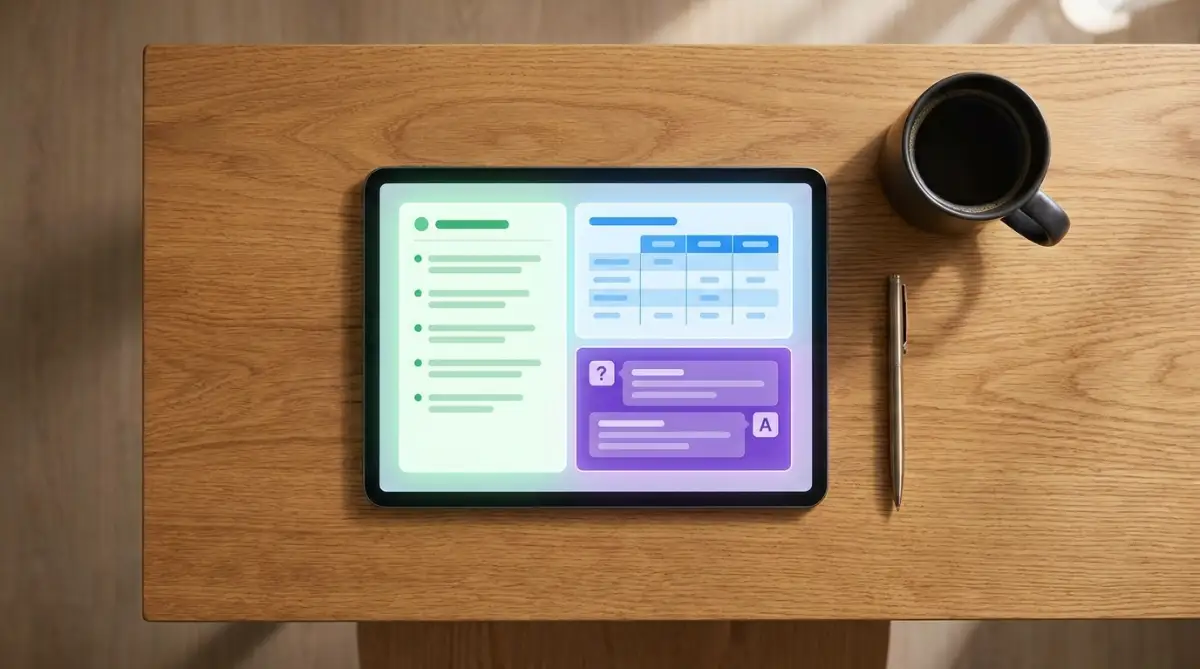
When you demand a specific format, the machine organizes its thoughts much more logically. You end up with a clean, highly readable document that you can easily copy and paste into your own notes.
Step 5: The Art of the Friendly Conversation (Iterating)
Many beginners get extremely disappointed when their first attempt does not yield a perfect result. They assume the tool is broken or that they simply lack the technical skills to make it work. But the reality is that the first answer is almost never the final answer.
Working with smart software is essentially a continuous conversation. If the first output is a bit too formal, you do not have to start over from scratch. Simply reply to the machine and say, "Make this a little more casual and friendly."
You can ask it to expand on a specific point, shorten a certain paragraph, or completely rewrite a section that sounds awkward. Treat the machine exactly like an enthusiastic but slightly clueless assistant who needs gentle corrections.
This back-and-forth process is where the real magic happens. By taking just a few extra seconds to refine the answer, you transform an average output into something highly customized and valuable.
Debunking the Tech Genius Myth
There is a huge misconception floating around the internet that you need to know complex formulas to succeed with these new tools. People try to sell complicated templates and secret prompt formulas that look like actual computer code. This unnecessary complexity scares away thousands of everyday users who could really benefit from the technology.
The truth is, speaking to a machine in a highly technical, rigid way often produces worse results. These systems were specifically trained on regular human books, articles, and conversations. They understand plain English much better than they understand weird, robotic commands.
If you use clear, simple sentences, you will out-perform someone who uses a complicated, messy template. Your goal is simply clarity, not complexity.
Myth vs. Reality: Stop Falling for These Fake Rules
- Myth: You need to buy a $99 prompt cheat sheet to get good answers.
- Reality: Plain English always beats rigid, copy-paste templates. The machine wants conversational context, not secret codes.
- Myth: If you ask the same question twice, you get the exact same answer.
- Reality: The software generates answers on the fly. If you do not like the first answer, just hit the regenerate button for a completely fresh take.
Why Empathy and Human Tone Matter
You might think it is strange to use a polite or empathetic tone with a software program. After all, it does not have feelings or emotions. However, using words like "Please act as" or "I need your help with" actually triggers a different set of patterns in the machine's programming.
When you frame your request as a collaborative human effort, the system often responds with a more natural, helpful tone. It picks up on the conversational style of your request and mirrors it back to you.
This makes the final text much more enjoyable to read. It removes that cold, metallic feeling that so many AI-generated articles suffer from.
The Real-World Impact on Your Daily Routine
When you finally master this simple, everyday framework, the impact on your daily life is massive. Tasks that used to take you three hours can suddenly be finished in fifteen minutes. You gain back precious time that you can spend with your family or on your personal hobbies.
You no longer stare blankly at a blinking cursor, wondering how to start an email or a report. You have a reliable digital partner that can help you brainstorm, outline, and edit your thoughts instantly.
More importantly, your confidence grows. You stop feeling intimidated by new software and start seeing it as a simple tool, just like a calculator or a pen.
Moving Forward Without Fear
You do not need to memorize a thousand different rules to get started today. You just need to remember to give clear background information, assign a helpful role, and ask for exactly what you want.
Start practicing this approach with very small, low-stakes tasks. Ask the machine to help you write a friendly birthday message for a friend, or ask it to summarize a long article you do not have time to read.
Notice how the machine responds to your different instructions. Pay attention to what works and what falls flat.
Very soon, this process will become completely second nature to you. You will craft highly effective prompts naturally, without even thinking about it, and without ever writing a single line of code. The barrier to entry is gone, and the power to create amazing things is right at your fingertips. Just start typing, keep it simple, and watch how easily you can get exactly what you need.
Leveling Up Your Daily Machine Interactions
Now that you understand the basic psychology of how these smart tools process words, it is time to look at a few strategies that professionals use every single day. You do not need a computer science degree to apply these habits. You just need to change the way you organize your thoughts before you touch your keyboard.
One of the most powerful things you can do is move away from simply giving orders, and start giving actual examples. We call this the "Show, Don't Tell" method, and it is a complete game-changer for your daily workflow. Think about how you train a new human assistant on their first day of work.
You would never just tell a new employee to write a report and walk away. Instead, you would hand them a previous report and say, "Make it look exactly like this." The exact same logic applies to smart software.
When you provide a quick example of what you want, the system instantly understands your preferred style, tone, and layout. According to researchers at Stanford University's Human-Centered AI lab, providing just one or two clear examples drastically improves the accuracy of machine responses. It removes the guesswork and forces the tool to copy your exact format.
Let us say you are trying to understand a complex financial topic, like fixed vs variable interest rates. Instead of just asking for a summary, you can paste an example of a simple summary you already like. You can type, "Explain this financial concept using the exact same tone and bullet-point style as the example I just provided."
Forcing the Machine to Think Out Loud
Another secret weapon used by professionals is asking the software to explain its reasoning step by step. Most beginners just ask a question and wait for the final answer. However, when you ask the machine to show its work, you actually get a much smarter and more logical response.
This happens because the software is forced to process the information slowly, exactly like a student solving a math problem on a chalkboard. By writing out the steps, the tool avoids making silly logical jumps. You can trigger this behavior simply by adding the phrase, "Please think about this step by step before giving me the final answer."
This trick is incredibly helpful when you are using the tool to analyze difficult situations. For instance, if you want the tool to help you identify hidden habits ruining your credit score and how to fix them fast, you want a deeply logical answer. By asking the machine to break down its thought process, you will receive a much more practical and realistic action plan.
Creating Your Own Custom Templates
You do not have to type out these long instructions every single time you sit down at your desk. Smart users create a private document on their computer where they save their most successful commands. When they find a specific wording that gets amazing results, they copy it and save it for later.
This simple habit essentially builds your own personal library of shortcuts. When a new project comes up, you just open your document, copy the instructions, and fill in the new details. This saves you an incredible amount of mental energy on busy work days.
Imagine you frequently need help drafting emails to negotiate prices or contracts. You might be trying to negotiate lower mortgage rates directly with your lender and need a professional tone. You can build a saved template that says, "Act as a firm but polite financial negotiator, and write an email asking for a better rate."
Whenever you need a similar email in the future, your template is already waiting for you. You just swap out the word "mortgage" for whatever new service you are dealing with.

The Silent Traps That Destroy Your Output Quality
Even with a great framework, it is very easy to fall back into bad habits when you are rushing to meet a deadline. People often get frustrated with smart software because they unknowingly trigger the machine's worst tendencies. Understanding these common pitfalls will save you hours of unnecessary editing.
The Kitchen Sink Approach
The most common trap beginners fall into is asking the software to do ten different things at exactly the same time. They type out a massive paragraph asking for a summary, a list of ideas, a creative story, and a translated document all in one breath. When you overload the system like this, the machine panics and gives you a messy, half-finished response.
Think of the tool like a highly focused worker who can only juggle one ball at a time. If you throw ten balls at them at once, they will drop every single one. You would not try to figure out cryptocurrency investing myths new traders fall for while simultaneously writing a grocery list.
You must separate your requests into completely different tasks. Ask the machine for the summary first, wait for the answer, and then ask for the creative ideas in your next message. This step-by-step pacing keeps the tool focused and delivers much higher quality text.
The Danger of Blind Trust
Another massive issue is assuming that the machine is always telling the absolute truth. These tools are designed to sound extremely confident, even when they are completely making things up. This phenomenon is known as "hallucinating," and it happens when the system tries to fill in gaps in its knowledge with imaginary facts.
Technology experts at MIT Technology Review frequently remind us that these language models are advanced prediction engines, not traditional search engines. They are guessing the next right word, which means they can easily invent fake statistics, fake quotes, and fake links.
If you are using these tools for serious life decisions, you absolutely must double-check the facts. For example, if you ask the software to review a suspicious contract to see if you are facing warning signs you can't ignore, you cannot trust its legal advice blindly. Always use the machine as a brainstorming assistant, but verify important data through trusted human sources.
The Vague Language Trap
We often assume that words mean exactly the same thing to a machine as they do to us. If you ask for a "funny" story, you might get a cheesy joke that sounds like it was written by a toddler. The word "funny" is totally subjective, and the machine has no idea what your specific sense of humor is.
Instead of using vague adjectives, use concrete comparisons that the machine can actually measure. Do not ask for a "professional" email. Instead, ask for an email written in the style of a senior corporate executive addressing a board of directors.
By replacing vague words with specific roles and scenarios, you eliminate the gray area. The tool no longer has to guess what you mean, which instantly improves the quality of your results.
Your Daily Blueprint for Smarter Workflow
You now have everything you need to stop fighting with these tools and start making them work for you. Shifting your mindset from a passive user to an active director changes the entire experience. You are the boss, and the software is your highly capable, eager-to-please intern.
To build a long-term habit, you need to slow down before you start typing. It is very tempting to just open the chat box and throw your first random thought onto the screen. However, taking just sixty seconds to plan your request will save you twenty minutes of frustrating corrections later on.
A Simple Mental Checklist Before You Type
Before you hit the enter key, run your instruction through a quick mental filter. Ask yourself if you have provided enough background context for the machine to understand your goal. Just like you would take time to understand the fine print before protecting your personal assets from unsecured business loans, take a moment to review your command.
Next, check if you have assigned a specific role or persona to guide the tone of the answer. Then, make sure you have explicitly stated how you want the final text to be formatted, whether that is a table, a list, or a short paragraph.
Finally, check your wording for vague adjectives and replace them with clear, actionable boundaries. If your command passes this simple four-step mental check, you are practically guaranteed to get a great result on the very first try.
Remember that this is a totally new skill for everyone, and it takes a little bit of practice to feel natural. Do not get discouraged if your first few attempts feel slightly awkward or clunky. The more you talk to these systems, the better you will understand their unique rhythms and quirks.
I honestly wish someone had taught me these simple communication tricks when I first started exploring smart software. My daily work has completely transformed now that I know exactly how to gently guide the machine. I promise that if you just start applying these basic rules today, your daily frustration will vanish and your personal productivity will absolutely soar.
Questions People Always Ask About Communicating With AI
Do I need to buy expensive premium software to use this framework?
No, you absolutely do not need to spend money to see incredible results. This communication framework works perfectly on all the free versions of major language models available today. The secret is always in how clearly you write your instructions, not the price tag of the specific tool you are using.
Why does the machine sometimes forget what we were talking about?
These tools actually have a limited memory capacity during an active conversation window. If you chat for too long, the system pushes older instructions out of its memory to make room for new text. If the machine starts acting confused, it is usually best to just open a brand new chat window and start fresh.
Is it safe to paste my personal information into these free tools?
You should be extremely careful about what you share with open-source smart systems. The Better Business Bureau strongly advises against sharing sensitive identity markers with public software platforms. Never paste private banking details, passwords, or documents meant for the hidden money mistakes that sabotage real estate closings into a chat box.
Can I use these tips on my mobile phone app?
Yes, the exact same logic applies whether you are typing on a desktop keyboard or talking into your phone. In fact, using the voice-to-text feature on your mobile app is a great way to practice giving clear, conversational instructions. Just remember to speak your punctuation and formatting requests out loud.
What should I do if the tool completely ignores my formatting rules?
Sometimes the software gets stubborn and gives you a block of text even when you asked for a table. Do not rewrite your entire request from scratch. Just reply simply with, "You forgot my formatting rule, please rewrite that exact answer into a neat table."
Disclaimer: The information provided in this article is for educational and informational purposes only. We are not certified tech advisors or software developers. AI tools update frequently, and their responses can be unpredictable or inaccurate. Always verify important facts, especially concerning health, legal, or financial matters, with certified human professionals before taking any action. This site strictly complies with Google AdSense content policies and does not promote any deceptive practices.