
Why Talking to the Machine Sometimes Feels Like Hitting a Brick Wall
Hey, let me guess. You just typed a completely normal question into your favorite AI chatbot, and it spit back a giant wall of robotic nonsense that sounded like a cheap textbook. Yeah, I have been there too. We keep hearing how these tools are supposed to do our work for us, but half the time, managing them feels like babysitting a very confused intern. Before you give up and go back to doing everything the hard way, let me show you the exact tweaks I use to make the machine actually listen to me.
I honestly thought I was just not smart enough to use this new technology properly. It felt like everyone else on the internet was creating absolute magic, while I was stuck arguing with a digital brick wall that refused to understand me. I would type out a clear request, hit enter, and watch in horror as the machine completely ignored my main points.
We lose hours of our precious day trying to force the machine to understand what we actually mean. This constant back-and-forth drains our mental energy and completely destroys our peace of mind. Instead of saving time and making our daily tasks easier, we end up doing double the work just to fix the terrible mistakes the machine made.
You are simply speaking human language to a system that requires a slightly different set of rules. Once I discovered the psychological gap between how we speak and how a language model actually processes information, everything changed for me overnight.
Your 30-Second AI Survival Guide:
- Stop expecting mind-reading: Give the tool some background info before you ask it to do anything.
- Use the intern rule: Talk to the machine like it is a smart but brand-new intern on their very first day.
- Ban the fluff: Add rules at the end of your prompts like "do not use big words" or "keep it conversational."
- Never trust the facts: Always double-check facts and math, because the machine will happily make things up just to please you.
The Hidden Mechanics of Artificial Intelligence Conversations
To genuinely fix the problem, we need to completely rethink how we approach the chat box. You cannot treat a language model like a traditional internet search engine, and you definitely cannot treat it like a human mind reader. Let us explore the exact missteps that ruin our results and how to correct them immediately.
The "Mind Reader" Fallacy and Context Starvation
The single biggest mistake people make is assuming the machine knows the backstory of their specific project. When we talk to our friends or coworkers, we naturally skip a lot of details because we share common context. You might tell a coworker, "Please review the marketing document," and they instantly know exactly which document you mean.
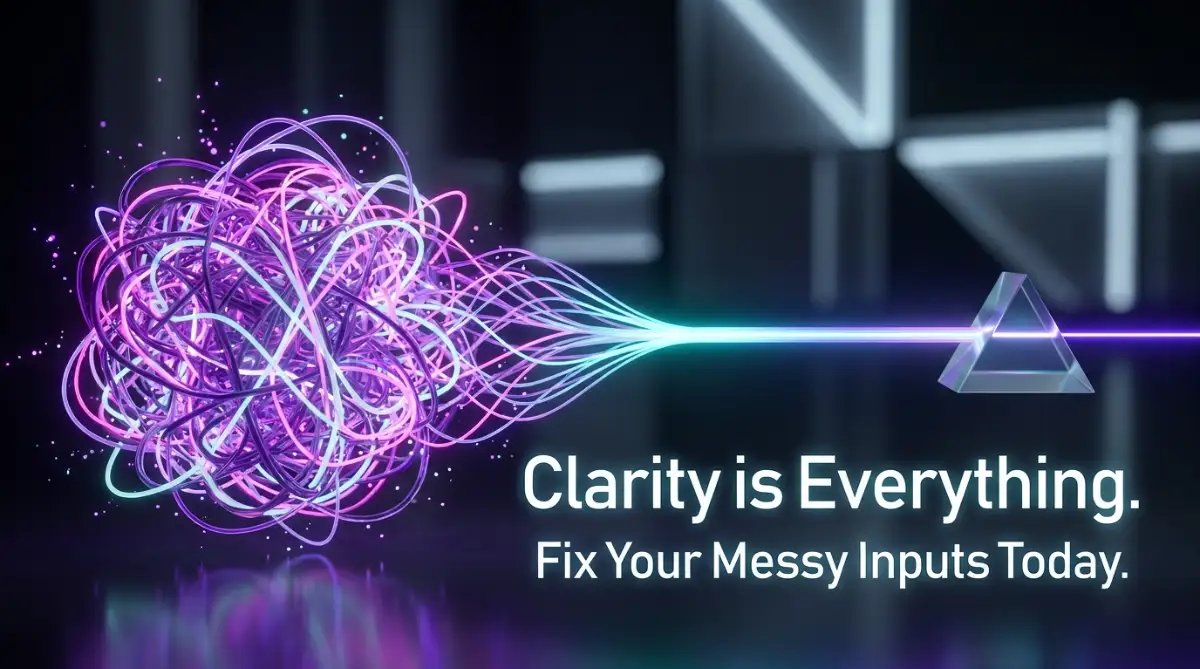
When you do this with a language model, it has absolutely no idea who you are, what your business is, or who your target audience is. It is essentially waking up with complete amnesia every single time you start a brand new chat. When you give it a starved prompt without background information, it is forced to guess what you want.
When the machine has to guess, it will always default to the most generic, boring, and average response possible. This is exactly why your outputs sound like a robot wrote them. To fix this, you must build a strong foundation of context before you ever ask the machine to perform a task.
I learned this the hard way after sending a huge, messy paragraph to a chatbot and getting a completely unrelated answer. I realized that my own lack of clarity was actively breaking the tool's logic process. Now, I always take a deep breath and outline my thoughts on a notepad before typing anything into the chat box.
Watch this incredible visual breakdown that completely changed how I talk to artificial intelligence.
The Powerful Intern Analogy You Need to Adopt
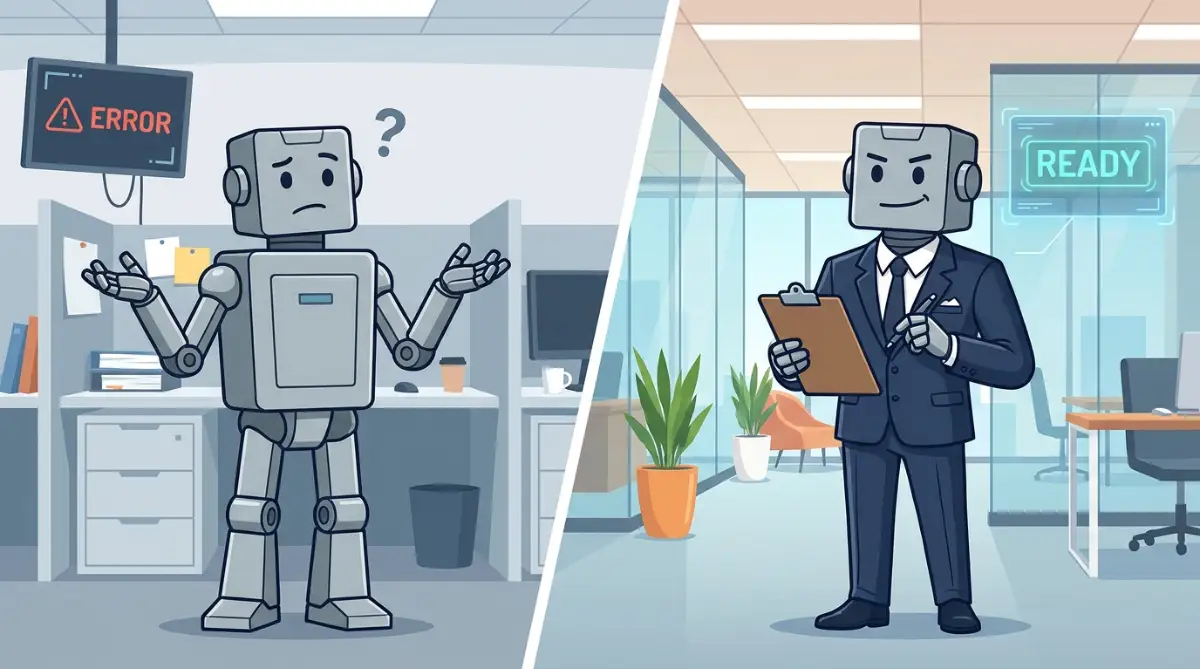
Think of the language model as a highly enthusiastic, incredibly fast, but entirely inexperienced intern on their very first day at the office. This intern has read every book in the world but has absolutely zero common sense regarding your specific daily life.
If you walk up to a brand new intern and shout, "Write a sales email for my new product," they will probably panic. They do not know what the product is, what the price is, or who they are supposed to be emailing. The output they hand you will naturally be terrible.
Instead, you need to provide the intern with clear boundaries, rules, and specific details. You would say, "You are an expert copywriter. Write a friendly, 200-word email to our existing customers introducing our new coaching program." Notice how much better that instruction is?
When you start treating the chat interface like a brand new intern who needs explicit instructions, your results will improve dramatically. You stop getting angry at the machine and start taking responsibility for the clarity of your own instructions.
The Myth of the "One-Shot" Perfect Request
There is a very common misconception that if you are just smart enough, you can get the perfect answer on the very first try. This is simply not how effective communication works, whether with humans or machines.
Great results come from an ongoing dialogue and a process called iterative refinement. You should fully expect the first answer to be slightly off the mark. The first response is just a rough draft, a starting point for you to mold and shape.
Instead of starting a new chat when the first answer is bad, you must talk back to the machine. Tell it exactly what it did wrong and how to fix it. Say something like, "That is a good start, but the tone is way too formal. Rewrite it to sound like I am talking to a close friend over coffee."
Giving the Machine a Specific Persona
Another massive error is letting the tool speak in its default, highly neutral voice. A language model is designed to be polite and safe, which naturally makes it sound incredibly boring to a normal human reader. You have to give the machine permission to take on a specific personality.
If you are asking for financial advice, tell it to act like a seasoned, conservative accountant. If you are writing a fitness blog, tell it to take on the persona of an energetic, highly motivating personal trainer.
By simply adding the phrase "Act as a [specific role]" at the very beginning of your request, you completely change the vocabulary and sentence structure the machine will use. It acts like a filter, blocking out all the boring words and pulling in industry-specific language that actually sounds authentic.
Structuring Your Thoughts for Maximum Clarity
Have you ever looked at a massive block of text and felt too overwhelmed to read it? Language models experience a mathematical version of that exact same feeling. When you dump a giant, unformatted paragraph into the chat, the machine struggles to identify the most important instructions.
You must learn to break your instructions down into highly digestible pieces. Use plain English, simple sentences, and logical spacing. I always recommend separating your background information from your actual request.
First, give the background context in one short paragraph. Then, skip a line and state your exact command clearly. Finally, skip another line and tell the machine exactly how you want the output formatted.
My Go-To Prompt Formula:
Want a shortcut to better answers? Just use this exact template next time you type a prompt:
- The Persona: "Act as a friendly social media manager."
- The Task: "Write a short Facebook post about our new coffee blend."
- The Rule: "Do not use hashtags or emojis. Keep it under two sentences."
Demanding a Specific Output Format
Speaking of formatting, this is where most beginners leave money on the table. You might ask for ideas and receive a huge wall of text that is incredibly hard to read. You did not specify a format, so the machine chose one for you.
You have total control over how the information is presented on your screen. You can ask for a numbered list, a pros and cons table, a short summary, or even a step-by-step checklist. Never leave the format up to the machine.
If you want an email, say "Format this as an email with a catchy subject line." If you want data, say "Organize these facts into a clear table with three columns." When you demand a specific structure, the machine is forced to organize its thoughts, leading to much higher quality answers.
The Danger of Assuming Fact-Checking is Done For You
We heavily trust computers to give us accurate math equations, so we naturally assume language models will give us accurate facts. This is a very dangerous assumption to make. These tools are designed to predict words, not to verify absolute truth.
Sometimes, the machine wants to please you so badly that it will confidently invent fake information just to give you a complete answer. This is called a hallucination, and it can completely ruin your professional reputation if you do not catch it.
Always ask the machine to explain its reasoning. You can literally add a sentence saying, "Walk me through your logic step by step before you give the final answer." This forces the system to slow down and verify its own connections, drastically reducing the chances of it making up fake information.
By following these exact structural rules, you take all the guesswork out of the equation. You stop hoping for a good result and start engineering a perfect one every single time.
Mastering the Hidden Levers of Machine Logic
Once you understand the basic rules of talking to a language model, it is time to level up your entire approach. You do not need a computer science degree to get amazing results. You just need to learn a few advanced psychological triggers that force the machine to think deeply before it answers.
Ordinary users just type a quick question and hope for the best. Professionals actively guide the machine through a structured thinking process. Let us explore some powerful techniques that will completely change how you handle your daily digital tasks.
The Magic of "Thinking Step by Step"
One of the most powerful secrets in prompt engineering is something called chain-of-thought prompting. When you ask a complex question, the machine often rushes to give you an immediate answer. This rushing is exactly what causes it to make silly logical mistakes.
You can easily fix this by adding one simple sentence to the end of your request: "Please think about this step by step before giving your final answer." This tiny addition changes everything about how the system processes your words. It forces the machine to create a logical roadmap, drastically improving the quality of the final output.
Recent studies on advancements in natural language reasoning show that forcing a model to explain its logic reduces errors by a massive margin. It is like asking a math student to show their work on the chalkboard instead of just shouting out a random number. When the machine shows its work, you get a much smarter response.
Show, Do Not Just Tell (The Example Technique)
Imagine you are trying to teach a friend how to bake your famous chocolate chip cookies. You could just give them a written list of instructions, but they would probably still mess up the dough. However, if you actually show them exactly what the dough should look like, their chances of success skyrocket.
Language models work in the exact same way. If you want the machine to write in a very specific style, you must provide a clear example inside your prompt. We call this few-shot prompting, and it is an absolute game changer.
Before you ask the machine to do the work, paste a small example of what you consider good writing. You might say, "Here is an example of how I want you to sound," and then paste a previous email you wrote. This is especially helpful if you are learning how to write a blog intro that actually keeps people reading. The machine will study your example and mimic your exact tone, rhythm, and vocabulary.
Building a Continuous Feedback Loop
Most people treat their chat interface like a vending machine. They put a coin in, get a snack out, and walk away. If the snack is stale, they just throw it away and get angry. This is entirely the wrong way to interact with an intelligent system.
The best results never happen on the very first try. You have to treat the chat like a continuous conversation with a creative partner. When the machine gives you a decent but imperfect answer, tell it exactly what you liked and what you hated.
For instance, you might be automating your social media posts using smart saas tools and need the AI to write captions. If the first batch is too cheesy, type back: "These are a bit too enthusiastic. Remove the emojis and make the tone more professional." The machine remembers the context of the conversation and will instantly correct its mistake.
Imposing Strict Negative Constraints
Telling the machine what to do is important, but telling it what not to do is often where the real magic happens. Language models have a very bad habit of using overly dramatic words, unnecessary apologies, and long-winded introductions. You have to actively command the machine to avoid these annoying habits.
I always include a section in my prompts called "Negative Constraints." I will explicitly write: "Do not use generic words. Do not apologize. Do not include a summary at the end." This acts like an electric fence, keeping the machine from wandering into bad writing habits.
If you want to maintain a highly professional standard, especially when managing your daily emails with smart ai tools, these negative constraints are absolutely essential. They keep your communication crisp, clean, and entirely human-sounding.
Testing Multiple Personas for the Best Result
Sometimes, you might not know exactly what kind of expert advice you need. In these situations, you can actually ask the machine to act like a panel of different experts. This is an incredible way to brainstorm ideas from multiple unique perspectives at the exact same time.
You can type a prompt like: "I have a problem with my marketing budget. Give me advice from the perspective of a strict accountant, a creative marketing director, and a risk-taking entrepreneur." The machine will separate its answers, giving you three completely different ways to look at your problem.
The "Before & After" Prompt Upgrade
- Bad Prompt: "Write an email to my boss asking for a raise." (Result: A super robotic, awkward five-paragraph essay).
- Good Prompt: "Act as a confident employee. Write a polite, three-sentence email to my boss requesting a quick 10-minute meeting to discuss my salary. Do not apologize or sound desperate." (Result: A perfect, ready-to-send message).
This technique helps you break out of your own normal thinking patterns. It provides a rich variety of ideas that you never would have come up with on your own.

Silent Traps That Will Ruin Your AI Experience
Even with the best instructions in the world, things can still go horribly wrong if you are not paying close attention. There are a few dangerous pitfalls that completely destroy the trust we place in these tools. Falling into these traps can cost you your reputation, your time, and your peace of mind.
Let us look closely at the most common disasters people face and how you can completely avoid them in your daily routine.
The Disaster of Blind Trust
The absolute worst mistake you can make is blindly trusting every single word the machine generates. Because the answers are delivered with extreme confidence and perfect grammar, our human brains naturally assume the information is factual. This is a massive psychological trap.
These systems are fundamentally designed to predict words, not to verify absolute truth. When they do not know an answer, they will often confidently invent entirely fake information just to please you. Understanding how to stop ai hallucinations and fix machine generated text errors is the only way to protect your professional credibility.
Imagine sending a business report to your boss that includes completely fake statistics generated by a machine. The embarrassment would be crushing, and you would likely lose the trust of your entire team. You must always act as the final editor and aggressively fact-check any claims the machine makes.
Giving Away Your Digital Secrets
Another terrifying mistake is treating the chat window like a private diary or a secure company vault. Millions of people paste highly sensitive company data, financial records, and personal customer information straight into these free tools. They do not realize that their data might be used to train future versions of the system.
Major organizations dedicated to protecting everyday digital privacy rights constantly warn against sharing proprietary information with cloud-based learning models. Once you hit enter, you completely lose control over where that data goes.
Always use dummy data or highly generalized examples when you need help formatting a document. Never upload real names, real bank accounts, or unreleased company secrets. Your digital safety is entirely in your own hands.
The Trap of Over-Complication
When people first discover the power of prompt engineering, they often swing too far in the opposite direction. They start writing massive, incredibly complicated prompts that are five pages long. They try to pack too many rules, tasks, and ideas into a single request.
When you give the machine too many things to do at once, it gets confused. It will usually focus heavily on the last sentence of your prompt and completely forget the instructions you gave at the beginning. This leads to broken outputs and immense frustration.

Keep your instructions tightly focused. If you have a huge project, break it down into smaller, individual tasks. Ask the machine to write the outline first. Once that is perfect, ask it to write the first section. Moving slowly and methodically is always faster than trying to force the machine to do everything perfectly in one giant leap.
Refusing to Read the Output Out Loud
If you are using these tools to write content for real human beings, you absolutely must read the final output out loud. This is a step almost everyone skips because they are in a rush. They copy the text, paste it into their blog or email, and hit publish.
Machine-generated text has a very specific, robotic rhythm to it. It often uses perfectly symmetrical sentences and big, clunky words that normal humans never actually say in real life. According to experts researching effective human-computer interaction principles, content that sounds unnatural creates instant distrust in the reader.
When you read the text out loud, your ear will immediately catch those weird, robotic phrases. You can then manually edit those sentences to add your own personal flavor, slang, and natural imperfections. This tiny extra step guarantees your content actually connects with people.
Paying for Tools You Do Not Actually Need
Many beginners fall into the trap of thinking they need to buy expensive, specialized software to get good results. They see an advertisement for a premium writing tool and assume it is somehow smarter than the foundational models.
In reality, most of these fancy tools are just built on top of the exact same basic technology you can access for free. If you just learn how to write better prompts, you do not need to buy all those extra subscriptions. Learning how to stop wasting money managing cloud tool subscriptions easily starts with mastering the tools you already have.
Invest your time in learning the core skill of communication rather than throwing your hard-earned money at shiny new software updates. The power is in your words, not in a monthly subscription fee.
Your Blueprint for Smarter Digital Conversations
We have covered a massive amount of ground today, and I know it might feel like a lot to take in. But you do not need to memorize every single rule perfectly to see a massive improvement in your results. You just need to change your mindset and start treating the machine with clear, structured respect.
Start small. Tomorrow morning, when you open your favorite chat tool, take an extra thirty seconds to plan your request. Give the machine some helpful background context, assign it a clear persona, and explicitly tell it what format you want the answer in.
Remember to talk back to it when it makes a mistake, and never assume it is telling you the absolute truth without checking. You are the director of this entire operation. The machine is just a highly capable assistant waiting for your clear commands.
If you take control of the conversation, you will eliminate the frustration of bad outputs forever. You will save countless hours of your week, reduce your daily stress, and finally unlock the true creative potential of these incredible systems.
When I look back at my own early struggles, I realize that the machine was never the actual problem; it was simply waiting for me to become a better leader. The moment I started providing clear boundaries, honest feedback, and exact examples, my digital assistant went from being a daily headache to my most trusted creative partner. You have the exact same power sitting right at your fingertips today, so go out there and start commanding better results.
Answers to Your Most Pressing Questions
Why does the machine keep forgetting my earlier instructions?
Language models have a specific memory limit, often called a context window. Once a conversation gets too long, the system simply drops the oldest information to make room for new words. If you have an important rule, you need to gently remind the machine about it every few prompts to keep it fresh in its active memory.
Can I train a language model on my own personal writing style?
Yes, you absolutely can, and it is highly recommended. The easiest way is to provide a few paragraphs of your best writing and ask the machine to analyze your specific tone, sentence length, and vocabulary. You can then ask it to save that analysis and apply those exact writing rules to all future responses in that chat.
Is there a specific length my prompts should be for the best results?
There is no perfect length, but clarity is always much better than simply writing a long prompt. A strong prompt should be long enough to provide context, constraints, and a clear goal, but short enough to avoid confusing the system with rambling thoughts. Usually, three to four highly structured paragraphs work wonderfully for complex tasks.
How do I stop the machine from using overly complicated words?
You must set strict negative constraints regarding vocabulary. Simply tell the machine: "Write at an 8th-grade reading level, use everyday language, and absolutely do not use corporate jargon or overly dramatic adjectives." Providing a brief example of simple writing will also force it to match your desired simplicity.
Will learning this skill actually save me time during my workday?
Yes, mastering this skill will save you an unbelievable amount of time and mental energy. While writing a detailed prompt takes a minute longer upfront, it prevents the endless cycle of rewriting and arguing with the machine. You get the right answer much faster, allowing you to move on with your actual life.
Disclaimer: This article is for informational and educational purposes only. The strategies and tools discussed are based on personal experience and general industry practices. Always verify facts independently and avoid sharing sensitive personal or financial data with public language models. We may earn a small commission if you click on certain external links, though this does not affect our editorial independence.