The Overwhelming Shock Of Upgrading To A Smart Car
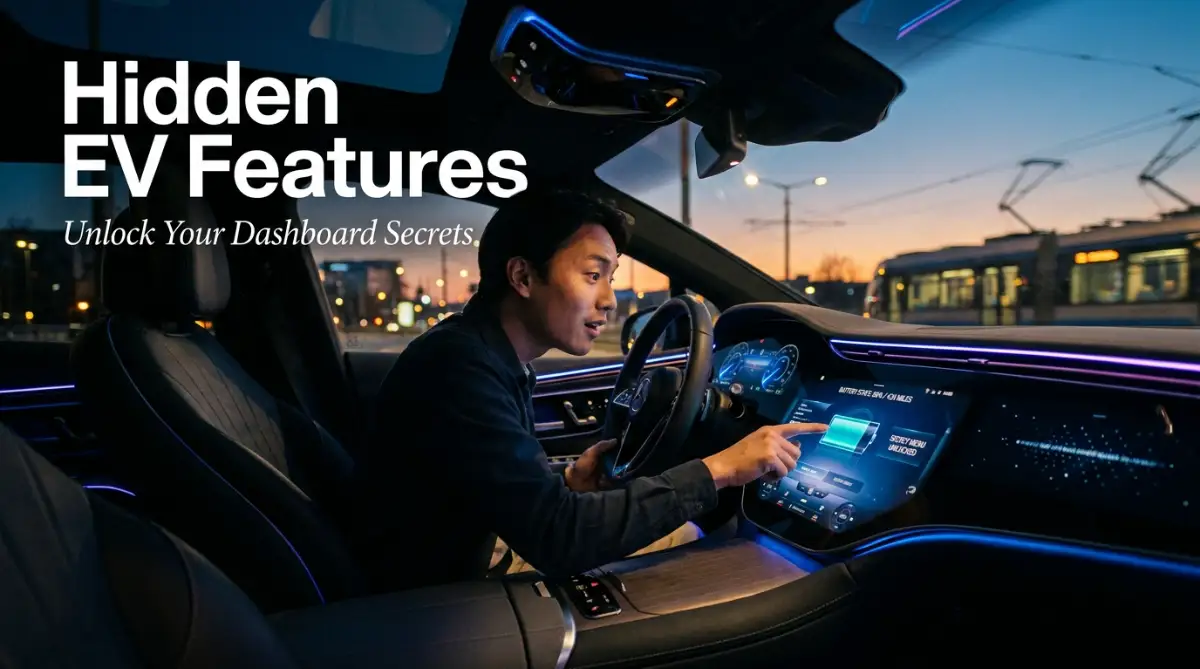
Driving your new electric car off the lot should feel amazing, but staring at that massive, glowing dashboard can honestly feel terrifying. It looks more like a spaceship control panel than a car. If you are tired of swiping through endless menus just to turn on the heat, I get it. Let's fix that right now and set up your screen so you can actually enjoy the drive.
Because the interface feels so complicated, most people simply ignore ninety percent of the options available to them. They set the radio, put the car in drive, and never touch the screen again. You end up driving a highly advanced machine exactly like a twenty-year-old gas car. By avoiding the screen, you actively drain your battery faster and miss out on features that make the car safer.
Smart Screen Survival Guide (Key Takeaways):
- Drag your favorite buttons to the bottom taskbar so you never have to hunt for them while driving.
- Turn on "One-Pedal Driving" in your settings to get free battery power every time you slow down.
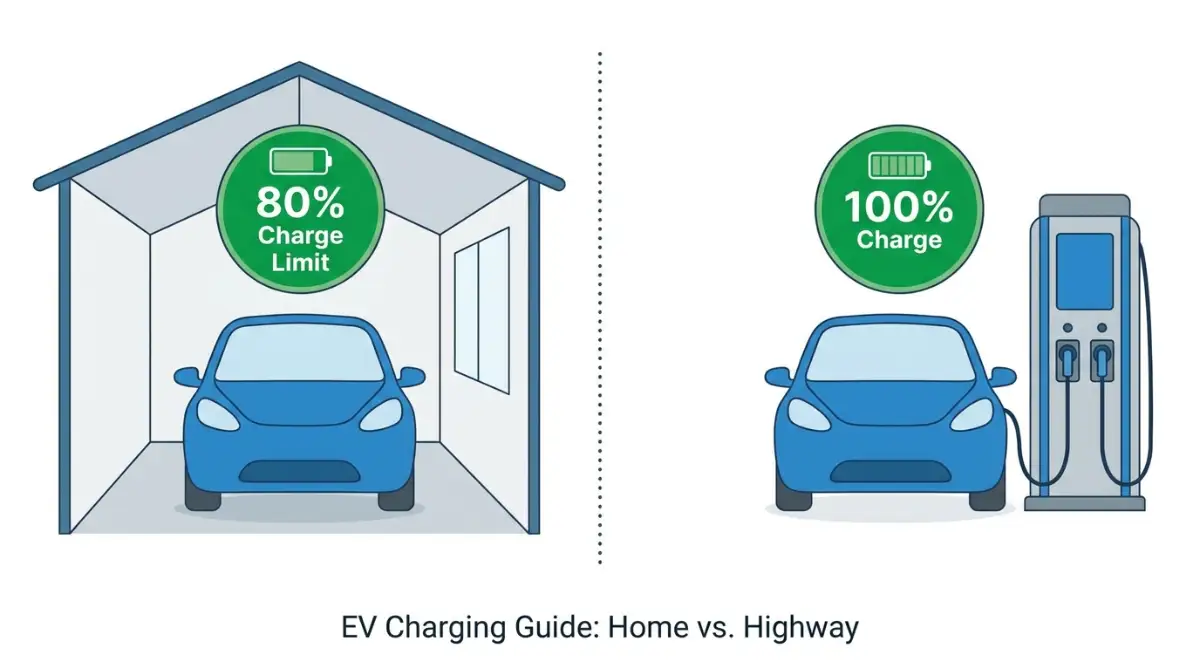
- Use location-based charging so your car knows to stop at 80% at home, but fill to 100% on road trips.
- Always read those software update notes—your car gets brand new hidden features while you sleep!
Unlocking The Hidden Power Of Your Touchscreen
You do not need a degree in computer science to understand your car. You just need to change how you think about the dashboard. Stop treating it like a traditional car radio and start treating it exactly like your smartphone. Let us walk through the most powerful hidden features that will instantly transform how you drive.
Customizing The Quick Access Control Bar
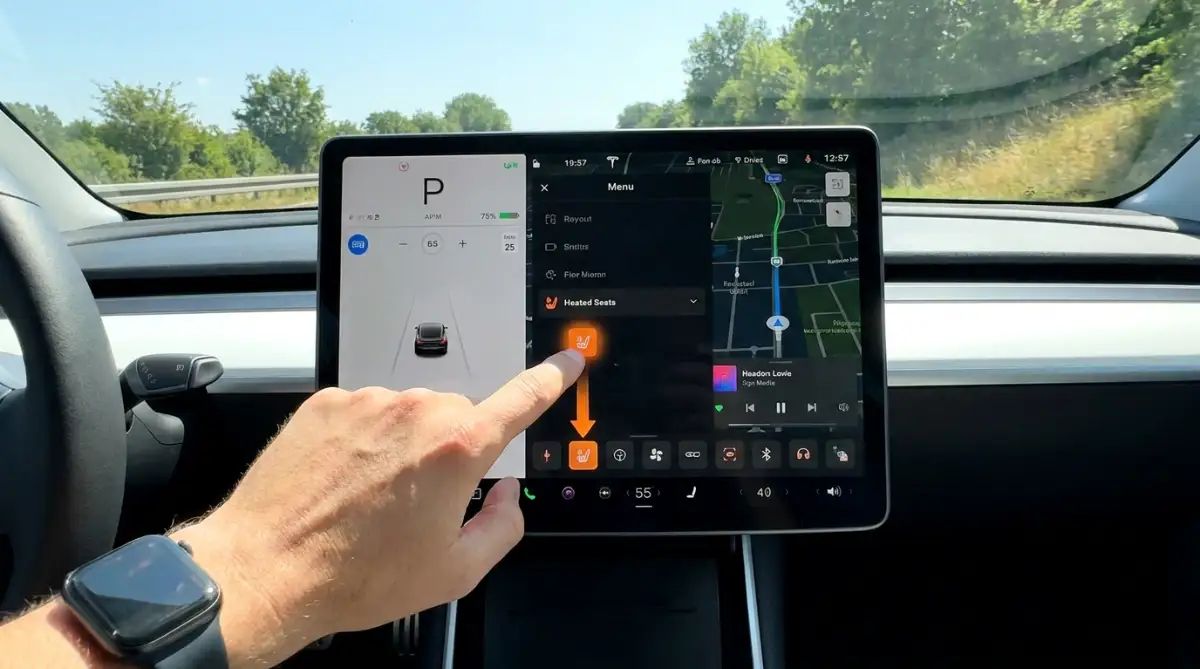
The biggest complaint new owners have is that basic controls take too many taps to find. If you have to open three menus just to turn on your heated seat, you are looking at the screen instead of the road. Almost every modern electric vehicle allows you to completely customize the bottom row of the screen.
Just like you can drag and drop your favorite apps to the bottom of your phone screen, you can do the same in your car. Long-press on any empty space on the dashboard or hold your finger over an icon. The screen will usually enter an edit mode where the icons start wiggling.
From here, you can drag your most used features down to the permanent taskbar. I highly recommend placing your seat heaters, windshield defrosters, and camera buttons directly on this bottom row. This keeps your eyes on the road and gives you instant access to safety features. Taking five minutes in your driveway to arrange these icons will completely remove your menu anxiety.
The Hidden Science Of Battery Pre-Conditioning
Most new owners complain that their electric car loses a massive amount of range during cold winter mornings. They get in, turn on the heater, and watch their battery percentage drop like a rock. The secret to fixing this is a hidden menu feature called battery pre-conditioning or scheduled departure.
Electric batteries operate exactly like human muscles. If you try to sprint without warming up, you will not perform well and you will burn out fast. A cold battery has high internal resistance, which means the car has to waste a ton of energy just to warm itself up before it can drive efficiently.
My biggest mistake during my first winter with an EV was completely ignoring the pre-conditioning menu. I would unplug the car in the morning, turn the heat on high, and instantly lose ten percent of my daily range. Now, I use the dashboard to set my exact departure time every morning, allowing the car to use wall power to warm the battery while it is still plugged in. This simple habit saves me miles of range every single day.
You can usually find this setting buried in the charging menu or the climate control settings. Tell the car you plan to leave at eight in the morning. The computer will automatically calculate how long it takes to warm the battery and the cabin using electricity from your house, not your battery. When you step into the car, it is perfectly warm, and you leave with a completely full battery.
Quick Q&A: Pre-Conditioning Like a Pro
Question: Does pre-conditioning work if my car isn't plugged in?
Answer: Yes, but it will pull power straight from your battery, which drops your range before you even leave your driveway. Always plug your car in overnight if you want a warm cabin and a full battery in the morning!
Mastering The Secret Regenerative Braking Toggles
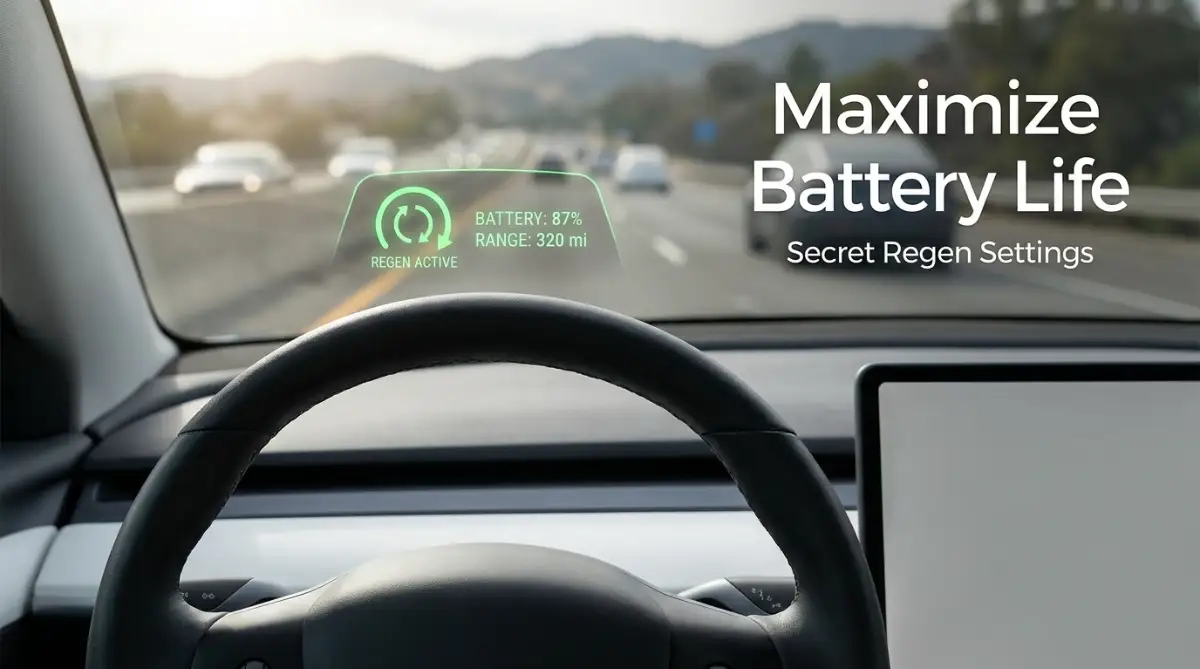
If you are driving your electric car and using the brake pedal exactly like a gas car, you are throwing away free energy. One of the most powerful screens in your dashboard is the regenerative braking menu. This system takes the kinetic energy of your moving car and pushes it back into the battery to increase your driving range.
In many cars, the dealer sets the regenerative braking to "low" or "standard" so the car feels normal to new drivers. However, if you dig into the driving or pedals menu on your screen, you can usually set this to "high" or activate "one-pedal driving."
I highly recommend watching this short video to see exactly how activating one-pedal driving changes your energy consumption on the road.
When you set this to high, the moment you lift your foot off the accelerator, the car aggressively slows down on its own. The electric motor turns into a generator, capturing that forward momentum and charging your battery. Once you get used to this feeling, you will rarely ever need to touch the physical brake pedal again.
This hidden setting alone can extend your daily range by five to ten percent, especially if you drive in heavy city traffic with lots of stops and starts. It saves wear and tear on your physical brake pads, saving you money on maintenance down the line.
Decoding The Secret Energy Consumption Graphs
Range anxiety is the fear that you will run out of battery before reaching a charger. The dashboard usually shows a simple mileage guess, often called the "guess-o-meter" by experienced drivers. This simple number constantly changes based on how fast you drive, which stresses new owners out.
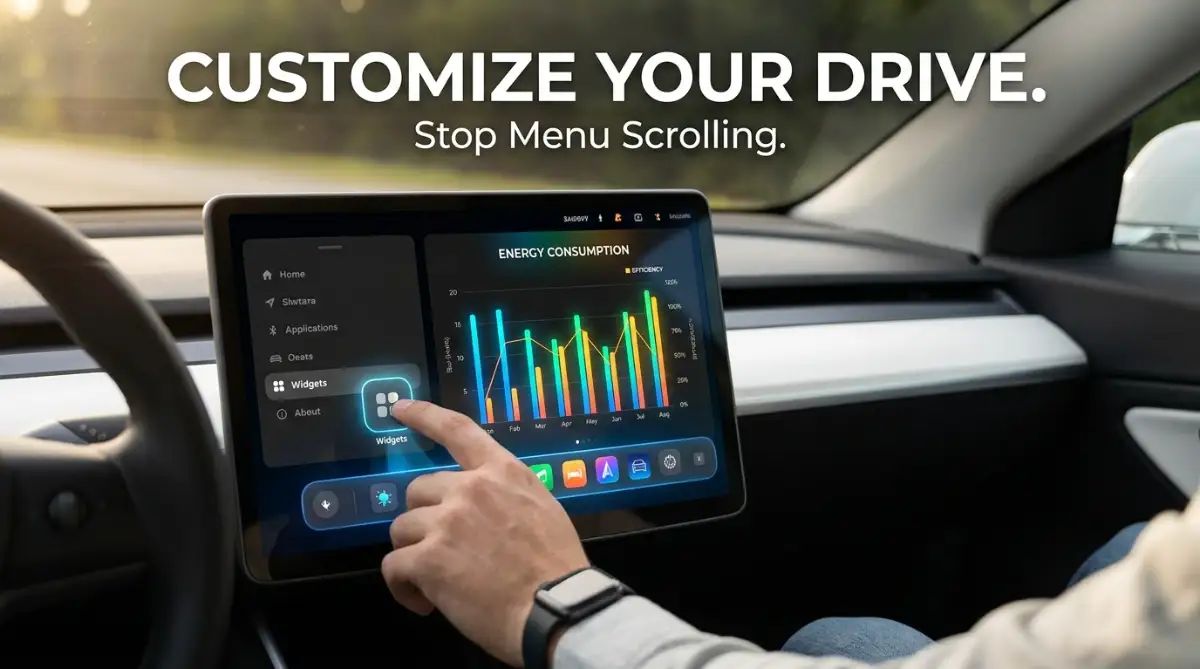
To cure this anxiety, you need to find the dedicated Energy or Consumption app on your screen. This is rarely on the main page. You might have to open the app drawer to find it. This screen is the most honest part of your entire car.
The energy graph shows you exactly where your battery juice is going in real-time. It breaks down consumption into driving, climate control, battery conditioning, and accessories. If your range is dropping fast, this screen will tell you if your heater is working too hard or if you are driving too aggressively.
Many energy apps feature a trip planner tab. If you put your destination into the navigation, this graph will draw a predictive line showing exactly what your battery percentage will be when you arrive. It factors in the weather, the speed limit, and even the hills you have to climb. Watching this graph track perfectly with your actual driving completely destroys range anxiety because you are no longer guessing.
What Actually Drains Your EV Battery? (Real-World Breakdown)
| Car Feature | Battery Drain Level | Quick Fix |
| :--- | :--- | :--- |
| Cabin Heater | High | Use heated seats and the heated steering wheel instead of blasting the main air. |
| Highway Speeds (75+ mph) | High | Keep it under 65 mph on road trips to save massive amounts of energy. |
| Radio & Touchscreen | Very Low | Do not worry about this at all; enjoy your music and podcasts! |
Setting Location-Based Charging Limits
If you charge your car to one hundred percent every single night, you are actually degrading the health of the battery cells over time. Most manufacturers recommend setting a daily charge limit of around eighty percent for daily commuting. However, constantly digging into the charging menu to change this limit for road trips is incredibly annoying.
Modern dashboards have a hidden smart feature linked to your car's GPS system. You can set location-based charging limits. This means the car remembers where it is parked and adjusts its behavior automatically.
You can navigate to the charging screen, set the limit to eighty percent, and look for a small location pin or "save at this location" button. Now, whenever you park at home, the car stops charging at eighty percent to protect the battery. But when you plug into a public fast charger on the highway, it knows you are traveling and automatically allows a full charge.
This is the perfect example of why exploring your dashboard is so important. You let the car's computer do the heavy thinking for you. By finding these smart location features, you protect your expensive battery from early degradation without ever having to remember to change the settings manually.
Customizing Audio Prompts And Safety Chimes
Electric cars are basically rolling computers, and computers love to beep. Between lane departure warnings, speed limit alerts, and parking sensors, your quiet cabin can quickly sound like a noisy arcade game. New owners often assume they just have to live with these annoying sounds.
If you dive into the Safety or Autopilot menus, you will find options to heavily customize these alerts. You do not have to turn them off completely, which would be dangerous. Instead, look for a toggle called "Joe Mode" or "Lower Chime Volume."
These hidden audio settings reduce the volume of the warning chimes so they are still noticeable to the driver but do not wake up a sleeping baby in the back seat. You can also often change alerts from a loud beep to a gentle vibration in the steering wheel. Customizing how the car communicates with you turns a stressful, noisy drive into a peaceful experience.
Master-Level Touchscreen Strategies For Long-Term Success
Taking control of your quick-access widgets is just the beginning of your digital driving journey. Once you feel comfortable navigating the basic menus, you can start using your car exactly like a tech professional. Modern electric vehicles are essentially giant rolling computers, and they hide some incredibly powerful tools deep inside their software. Understanding these advanced features will make your daily commute much smoother and protect your expensive investment over the long haul.
I remember letting a friend borrow my electric car for a weekend trip. When he brought it back, he had completely messed up all my seating positions, radio stations, and mirror angles. Before I understood how the software actually worked, I would spend twenty minutes manually fixing everything. Let me share the advanced habits that completely eliminate these frustrating moments.
Automating Your Life With Smart Driver Profiles
If you share your car with a spouse or a teenager, you absolutely must set up dedicated driver profiles. This is a feature buried in the main settings menu that most people completely ignore. Instead of just saving your seat position, a digital profile saves your entire software experience.
When you create a profile, the car remembers your preferred steering wheel stiffness, your favorite climate temperature, and exactly how you arranged your dashboard widgets. You can even link this profile directly to your specific physical key fob or your smartphone app. The moment you pull the door handle, the car recognizes your phone and instantly adjusts everything to your exact liking before you even sit down.
This means your partner can have a completely different screen layout than you. It stops all the fighting over radio stations and temperature controls. Managing these digital profiles feels very similar to managing cloud tool subscriptions easily for your home office. You set the rules once, and the software handles the rest automatically in the background.
Reading Software Patch Notes Like A Pro
Unlike a traditional gas car, your electric vehicle actually gets better over time. Car manufacturers constantly send Over-The-Air (OTA) software updates directly to your dashboard while you sleep. You might wake up one morning and suddenly have a brand new navigation app or better battery efficiency.
Most drivers just hit the "Update Now" button and never look at the details. This is a massive missed opportunity. You should always tap the release notes icon on your screen after an update finishes.
These release notes tell you exactly what changed inside the car's brain. Sometimes the manufacturer moves a popular button to a new menu, or they introduce a brand new safety feature. According to guidelines published by the Society of Automotive Engineers (SAE), understanding these software changes is essential for maintaining safe control over modern vehicle interfaces. If you do not read the notes, you might find yourself frantically searching for your windshield wiper controls during a sudden rainstorm.
Maximizing Home Charging Efficiency
If you charge your car at home, your dashboard holds the key to saving hundreds of dollars on your electricity bill. Deep inside the charging menu, you will find an option called "Scheduled Charging" or "Off-Peak Charging." Many utility companies charge you significantly less money for electricity if you use it in the middle of the night.
You can tell your car's computer to only accept power from the wall plug between midnight and six in the morning. Even if you plug the cable in at five in the evening, the car will patiently wait until the electricity is incredibly cheap before it actually starts charging.
If you are using solar energy to charge your car, you can adjust the charging speed on your dashboard to match your solar output. Managing your energy flow correctly is highly rewarding, especially if you already know why partial shading on solar panels is much worse than you think. Your dashboard gives you complete control over how and when your vehicle consumes energy.
Accessing The Hidden Service Mode
Many modern electric cars have a secret menu designed specifically for mechanics and service technicians. While you should never change settings in this mode without professional training, simply looking at this screen can give you amazing insights into your car's health.
You usually access this mode by holding down the car icon on your screen for several seconds, or by typing a specific word into the software search bar. Inside this hidden menu, you can see the exact temperature of your battery pack and the health of your individual motors.
If your car feels sluggish, this screen will tell you if the battery is too cold to deliver full power. According to researchers at the U.S. Department of Energy, monitoring these internal temperatures helps drivers understand exactly how extreme weather impacts their driving range. It removes all the mystery and helps you treat the battery with care.
The Hidden Traps That Ruin Your Driving Experience
Even with all these amazing tools at your fingertips, the digital dashboard can easily become a massive distraction. When you hand a driver an iPad and tell them to drive down the highway, things can get dangerous quickly. I have made several embarrassing mistakes while trying to learn my own car's interface. Let us look at the most common pitfalls you must avoid to keep your car running perfectly.
The Dangerous Myth Of The Zero Percent Buffer
Many new electric car owners treat their battery percentage just like a gas gauge. With an old gas car, you usually know you have a few extra miles left even after the needle hits the empty line. People incorrectly assume their electric dashboard is hiding a secret reserve tank of energy.
If your screen says you have two percent battery left, you need to find a plug immediately. Driving an electric car down to absolute zero is incredibly damaging to the internal battery cells. If you ignore the dashboard warnings and the screen finally goes black, the car will completely shut down in the middle of the road.
If you want to understand the severe mechanical consequences of this mistake, you should read exactly what really happens when your EV dies on the road and how to handle it. The dashboard is not lying to you to be overly cautious. When the computer says you are empty, you are truly out of power.
Ignoring Active Thermal Management Alerts
Your car's computer works incredibly hard to keep the massive battery pack at the perfect temperature. If you are driving aggressively on a very hot day, a small warning icon might pop up on your dashboard. Many drivers simply swipe this warning away because the car still feels like it is driving normally.
Dismissing temperature warnings is a guaranteed way to permanently damage your vehicle. High heat degrades battery cells faster than anything else. If the dashboard tells you to slow down to cool the powertrain, you must listen immediately.
Ignoring these small digital alerts often leads to massive repair bills later on. These ignored warnings are often the silent killers of your electric vehicle motor and how to fix them before permanent damage occurs. The screen is your car's only way of asking for help, so you must pay attention to it.
The Screen Brightness Safety Hazard
We all know how blinding it is to look at a bright smartphone in a completely dark room. Now imagine staring at a fifteen-inch glowing monitor while driving down a pitch-black country road. Leaving your dashboard screen on maximum brightness at night severely ruins your night vision.
Most cars have an "Auto-Brightness" setting, but sometimes it does not dim the screen enough for rural driving. The bright glare reflects off your side windows, making it nearly impossible to see pedestrians or animals on the side of the road.
The National Highway Traffic Safety Administration (NHTSA) heavily emphasizes that intense light sources inside a vehicle cabin significantly increase driver distraction and reaction times. Always dive into your display settings and manually lower the brightness slider to the minimum comfortable level when driving at night.
Over-Relying On Autopilot Visualizations
Modern dashboards show a beautiful, real-time 3D rendering of the road around you. You can see digital cars, traffic cones, and stop signs popping up on your screen as you drive. This video game-style display is fascinating to watch, but it creates a false sense of total security.
Drivers start trusting the screen more than their own eyes. They assume that if a car is not showing up on the digital display, the lane must be empty. This is a terrifying mistake.
The cameras can be blinded by heavy rain, bright sunlight, or thick mud. If you want to know how extreme weather messes with your car's sensors, learn how to protect your electric vehicle during severe flooding. The screen is meant to assist your driving, never to replace your active attention on the actual physical road.
Your Blueprint For A Smarter, Safer Daily Commute
You do not need to memorize the entire software manual tonight. Trying to learn every single feature at once will just bring back that overwhelming feeling of anxiety. Instead, you should treat your new car as a fun learning experience that you master a little bit more every single week.
Here is a very simple action plan you can use over the next few days:
- Tomorrow Morning: Take five minutes in your driveway to drag your most important climate and camera icons to the bottom quick-access bar.
- Wednesday Evening: Dig into the driving menu and experiment with turning the regenerative braking to its highest setting.
- This Weekend: Set up a personalized driver profile so your seat and screen settings are permanently locked in exactly how you like them.
By making these small adjustments, you stop fighting against the technology. You start working with the computer to make your drive quieter, cheaper, and far more relaxing. You will suddenly realize that you are getting significantly more range out of your battery without changing your actual driving habits.
The moment you customize that screen to fit your specific needs, the car stops feeling like a complicated science project. It finally starts feeling like your own personal sanctuary.
I honestly used to hate the giant screen in my car, but now I cannot imagine driving anything else. Take just ten minutes this week to explore those hidden menus, and I guarantee you will fall in love with your daily commute all over again.
Common Questions About Modern Electric Car Screens
Do I need to pay for a monthly subscription to use my dashboard?
Most basic features like climate control, radio, and standard navigation are completely free and built into the car. However, some manufacturers require a premium monthly subscription to access live traffic data, satellite maps, or in-car video streaming. You can usually bypass this by just using Bluetooth to play music from your phone.
Can a software glitch physically stop my car from driving?
While it is extremely rare, a massive software crash on your main screen can sometimes lock the vehicle in park for safety reasons. Fortunately, almost every electric car has a hard-reset button combination, like holding down both steering wheel scroll wheels. This reboots the computer exactly like a frozen smartphone and usually fixes the problem instantly.
Is it safe to tap the screen while driving on the highway?
Tapping a quick-access button on your bottom taskbar is just as safe as turning a physical radio dial. However, digging into deep menus to change advanced settings while moving is highly dangerous and often blocked by the software anyway. Always use the voice command button on your steering wheel to change the temperature or set a destination while moving.
Why does my range estimate change so wildly on the screen?
The computer calculates your remaining range based on your recent driving habits and the current weather outside. If you suddenly drive up a steep mountain or turn the heater on full blast, the computer instantly recalculates and drops the estimated miles. It is always better to look at the battery percentage instead of the guessed mileage.
Will resetting my main screen erase all my saved settings?
No, performing a soft reboot of the dashboard screen will not delete your saved driver profiles or radio stations. It simply refreshes the user interface to clear out any small software bugs or frozen maps. Only a "Factory Data Reset" buried deep in the security menu will actually wipe your personal information.
Disclaimer: The information provided in this article is for educational and general informational purposes only. Automotive software updates frequently, and menu layouts may vary significantly between different car brands and model years. Always consult your official vehicle owner's manual and prioritize safe driving habits. Never attempt to adjust complex screen settings or use diagnostic modes while operating a moving vehicle.