
The Midnight Integration Nightmare We Never Talk About
Have you ever noticed how software companies promise a magical "plug-and-play" experience, but the reality feels more like trying to fix a broken engine with duct tape? Just last month, my primary billing system completely stopped talking to my customer management tool. There were no warning emails or red flashing lights. Just hundreds of lost customer records that I had to manually track down and type out by hand over the weekend. If you are exhausted from constantly wondering if your digital tools are actually syncing properly, you are definitely not alone. Let me show you exactly why these hidden connections break down and how you can fix them for good.
My coffee had gone entirely cold, my eyes were burning from screen fatigue, and I felt completely defeated by something the sales page promised would be a simple "plug and play" setup. I genuinely thought I was doing something terribly wrong. I questioned my own technical skills, wondering why everyone else on the internet seemed to connect their tools so effortlessly while my systems were falling apart. The truth I learned that night changed everything about how I view software integrations today.
You set up a connection, everything works fine for a week, and then suddenly, half your leads disappear into thin air. You spend hours talking to support teams who just point fingers at each other. The email software company tells you it is a problem with the payment processor, and the payment processor tells you to talk to the email software company.
Why "One-Click Automation" is Often a Beautiful Illusion
We need to talk openly about what happens behind the scenes when two different platforms try to exchange information. It is never as simple as connecting a wire from point A to point B. Think of APIs as professional interpreters trying to help two people who speak completely different languages negotiate a complex business deal.
If the interpreter misses even one small piece of context, the entire deal falls apart. When you connect multiple cloud platforms, you are forcing entirely different engineering structures to agree on how data should look, feel, and behave.
Every single platform has its own unique way of defining a customer, a transaction, or a simple date. What seems completely logical to a marketing tool might look like complete nonsense to an accounting software. This hidden translation barrier is exactly where the vast majority of our daily automated workflows go to die.
The Silent Danger of Data Traffic Jams
One of the biggest unspoken headaches in building automated workflows is a concept known as rate limiting. Imagine trying to push a thousand people through a single revolving door at a shopping mall all at exactly the same time. The door will jam, people will get stuck, and the security guard will eventually lock down the entrance.

Servers act exactly like that security guard. When one of your applications tries to send too much information to another application too quickly, the receiving server simply panics and shuts the door. It stops accepting your data to protect itself from crashing.
The worst part about rate limits is that they rarely announce themselves loudly. Your automation tool might just skip the data entirely, moving on to the next task while leaving your customer records completely incomplete. You might not notice this missing information until weeks later when a client complains about not receiving their confirmation email.
To solve this, you always need to look for integration tools that offer a feature called automatic retries or exponential backoff. This feature acts like a smart traffic cop. Instead of throwing all the data at the server at once, it sends a little bit, waits to see if it was accepted, and slowly sends the rest over time.
Quick Cheat Sheet: Understanding Silent API Error Codes
When your automation fails, checking the logs can look like reading a foreign language. Here is a simple breakdown of the most common error codes you will see in your dashboard and what they actually mean:
- Error 401 (Unauthorized): Your digital key or token has expired. You just need to log in and reconnect the app.
- Error 429 (Too Many Requests): You hit the rate limit. Your system sent data too fast, and the server temporarily blocked you.
- Error 500 (Internal Server Error): This is not your fault. The software company's main servers are currently down. Just wait an hour and try again.
Understanding the Foreign Languages of Data Fields
Another major reason your systems fail to communicate is the nightmare of mismatched data mapping. I once spent three entire days trying to understand why my email subscriber list was filling up with blank names. It turned out that my lead generation form captured names as one single block of text, like "John Smith".
However, my email marketing platform strictly required the data to be split into two separate boxes: "First Name" and "Last Name". Because the structure did not match perfectly, the email tool simply threw the names in the virtual trash bin and only saved the email addresses.
This happens constantly with dates and times as well. One software might record a purchase as taking place on "MM/DD/YYYY", while the receiving software only understands "DD/MM/YYYY". Suddenly, an invoice you created in early May gets logged as taking place in completely the wrong month.
When you map your data fields, you must become incredibly obsessive about formatting. Always take the time to run test transactions using dummy data before you ever let real customer information flow through the pipes. Watch exactly how the final output looks in the destination app.
Thinking of connecting your entire tech stack this weekend? Stop and watch this first.
The Frustration of Expiring Digital Keys
Every time two platforms talk to each other, they need to prove their identity using digital security keys, often called tokens. You can think of these tokens exactly like hotel room key cards. They give your software permission to enter specific rooms and move things around.
But just like hotel key cards, these digital tokens are actively designed to expire for your own security. Sometimes they expire after a few months, and sometimes they expire just because the software company decided to run a security update on their main servers.
When a token expires, the connection does not just slow down; it completely dies instantly. The frustrating part is that many popular applications do completely terrible jobs of notifying you when a token drops. You might get a tiny red dot hidden deep inside a settings menu that you only check once a year.
My personal realization here was painful but highly necessary. I used to assume that once an API connection was authenticated, it would stay married forever. I learned the hard way that I needed to manually schedule a calendar reminder every single month just to log into my dashboard and verify that all my security tokens were still active and healthy. It takes ten minutes, but it saves weeks of lost revenue.

Myth vs Reality: The Truth About Cloud Syncing
We often carry a lot of misconceptions about how software integration is supposed to work. Let us clear up some of the most common misunderstandings right now.
The Myth: If I use a popular third-party automation tool, I will never have to worry about broken data again.
The Reality: Third-party connectors are just bridges. If the road leading up to the bridge is broken, or the town on the other side changes its rules, the bridge becomes completely useless. You still have to monitor the endpoints.
The Myth: Real-time syncing means the data moves instantly the second a button is clicked.
The Reality: Very few systems are truly real-time. Most run on a polling schedule, meaning they politely knock on the door every five to fifteen minutes to ask if there are any new updates. If you expect instant results, you will often find yourself refreshing the page in pure panic.
Building a Safety Net for Your Digital Workflows
If we accept that these connections will occasionally break, our main goal shifts from trying to build a perfect system to building a highly resilient system. You need a safety net that catches the data when the trapeze artist drops it.
The first step in building this net is creating an error-logging routine. Many people completely ignore the history or log sections of their automation platforms because it looks like complex computer jargon. You do not need to understand every single line of text in those logs.
You just need to look for the color red. If you see recurring error codes, take a simple screenshot and send it directly to the customer support team of the software involved. They can read the specific code and tell you exactly which field is causing the traffic jam.
Moving Away from Fragile Connections
The ultimate secret to a peaceful mind in a highly connected digital workspace is simplicity. Every single time you add a new piece of software to your daily routine, you are adding dozens of potential breaking points.
Before you try to connect an application, ask yourself if the connection is genuinely solving a massive problem, or if it is just a "cool idea" you saw on social media. I used to connect every single tool I bought just because the feature was available. My workflow looked like a bowl of spaghetti, and any small update to one app would break three others.
Now, I aggressively limit my integrations. I only connect platforms if failing to do so would result in hours of manual labor every week. Fewer connections mean fewer moving parts, which ultimately means a much lower chance of something breaking while you are trying to sleep.
How Webhooks Offer a Smarter Path Forward
When you start digging deeper into how these connections are made, you will eventually stumble across the term "webhook". Understanding this concept completely changed how I organize my data transfers.
Standard API polling is like a child sitting in the backseat of a car, constantly asking, "Are we there yet?" every single minute. It uses up an enormous amount of server energy, and most of the time, the answer is no.
A webhook, on the other hand, works exactly like a text message notification on your phone. The system stays completely quiet and relaxed until something actually happens. The moment a customer buys a product, the payment platform actively sends a notification directly to your other apps saying, "Hey, a purchase just happened, here is the data."
This method is incredibly fast, extremely efficient, and far less likely to run into those annoying rate limits we discussed earlier. Whenever a software platform gives you the choice between regular API polling and setting up a webhook, you should almost always take the time to learn the webhook method.
It might look slightly more intimidating on the setup screen, but the long-term reliability is absolutely worth the ten minutes of extra reading. Your servers stay quiet, your data moves instantly, and your risk of lost information drops significantly.
Moving Beyond the Basics: Smart Strategies for Reliable System Syncs
Now that we understand why these digital connections fail so easily, we need to talk about how to actually fix them for good. You do not have to be a computer engineer to create a software environment that runs smoothly while you sleep. The secret lies in changing how we plan our digital architecture before we ever click that shiny "Connect" button.
I used to just randomly link apps together whenever I felt like it. If my calendar needed to talk to my task manager, I just connected them directly. If my task manager needed to talk to my billing software, I connected those too.
This created what software experts call a "spiderweb" system. Every single application was directly tied to three or four other applications. When just one of those tools updated its internal rules, the entire web collapsed, and I spent days trying to find the broken thread.
The Power of the Hub and Spoke Method
The most successful digital businesses use a completely different approach called the hub and spoke model. Imagine an old-fashioned bicycle wheel. The heavy metal hub sits right in the middle, and all the individual wire spokes connect directly to that single center point.
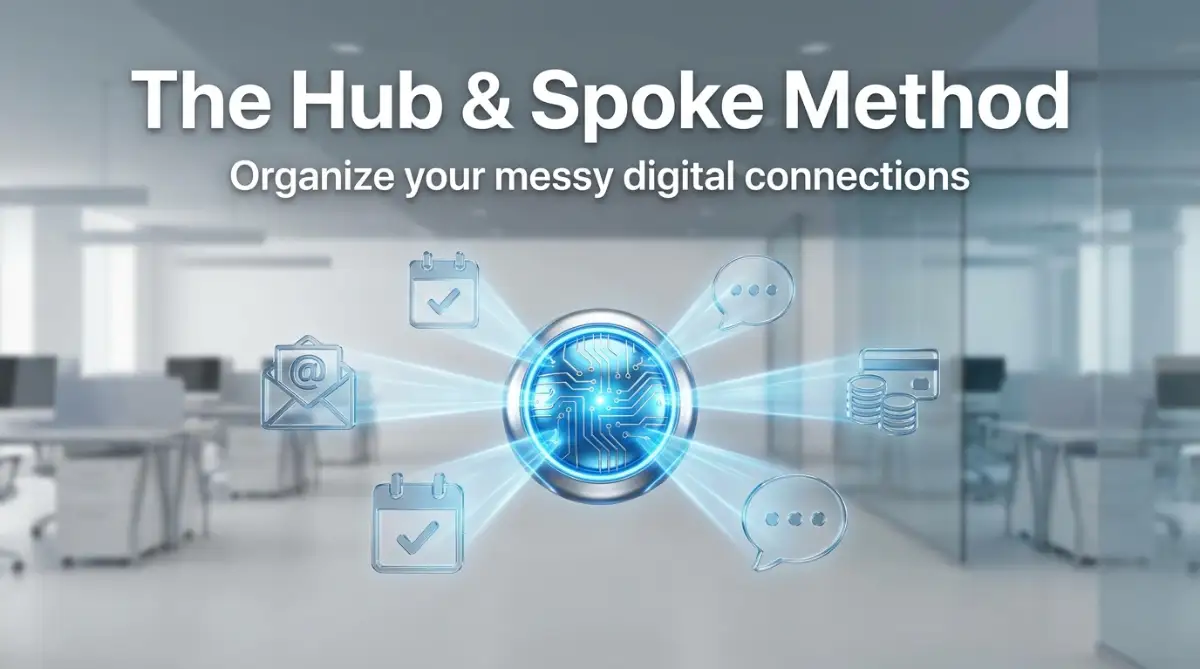
Instead of connecting your email tool directly to your accounting tool, you connect both of them to a central automation platform. This central hub acts as your main traffic controller. If you ever decide to switch to a different email provider, you only have to update one single connection at the hub.
This simple change in strategy completely removes the chaos of untangling dozens of direct connections. It also gives you one single dashboard to monitor for any data errors, making troubleshooting incredibly fast and completely stress-free.
Sandboxing Your Digital Experiments
One of the smartest habits you can develop is creating a safe testing zone, often called a "sandbox environment." Never test a new connection using your actual, live customer information. A small mistake in your data mapping could accidentally send hundreds of blank emails to your best clients.
Always create a dummy account with a fake name, a fake email address, and a fake purchase history. Run this fake profile through your new workflow at least five times. Watch exactly how the information changes as it moves from one platform to another.
This testing phase is where you will catch the tiny formatting errors before they become massive headaches. It feels like extra work in the beginning, but it acts like an insurance policy for your business reputation. If you are interested in simplifying how you build these workflows, learning the basics of crafting AI prompts can actually help you generate the exact mapping logic you need.
Creating a Human Backup Plan
Even the most perfect automated system will eventually drop a piece of data. Servers go down, security updates happen, and sometimes the internet just has a bad day. You absolutely must have a manual backup plan ready for when the automation fails.
I keep a very simple spreadsheet on my desktop that outlines the exact steps my automation takes. If my billing software stops talking to my course platform, I know exactly which data fields I need to copy and paste manually to keep my customers happy.
Having this manual backup plan completely removes the panic of a sudden software crash. You can calmly handle the day's business by hand, and then investigate the broken connection later when you actually have free time.
Monitoring Your API Versions Closely
Software companies are constantly improving their products, which means they regularly release new versions of their digital connections. They will usually label these as "Version 1", "Version 2", and so on.
When a company releases a new version, they will eventually stop supporting the old one. If you set up your workflow three years ago and never looked at it again, you might be running on an outdated version that is scheduled to be shut down.
Make it a habit to check the developer updates for your most important tools at least once a quarter. Staying on top of these technical updates is just as important as protecting your digital assets from external threats. According to recent guidelines published by the W3C, keeping your web protocols updated is one of the best ways to ensure long-term data stability.

The Hidden Traps That Destroy Data Syncs
We all make mistakes when we first start connecting different cloud applications. The problem is that software mistakes rarely announce themselves. They quietly hide in the background, slowly causing massive damage to your business data over time.
I want to share some of the most painful errors I have personally made, so you never have to experience the frustration of losing a week's worth of important customer interactions. These are the silent pitfalls that catch almost everyone off guard.
Ignoring the "Check Engine" Light of Software
Many business owners treat their digital tools like a car they never take to the mechanic. When an application sends an email warning about an upcoming "API deprecation," most people just delete the message because it sounds too technical.
Deleting that email is exactly like putting a piece of black tape over your car's check engine light. The problem does not go away; it just grows quietly until the engine completely explodes on the highway.
An API deprecation simply means the software company is tearing down the old bridge and building a new one. If you ignore the warning, your data will literally drive off a cliff the day the old bridge closes. Always read update emails from your software providers, even if you have to forward them to a technical friend for translation.
Relying on Default Settings Without Checking
When you first connect two apps, the system will often suggest a set of default data fields to map together. It might automatically link the "Notes" section of your sales tool to the "Description" section of your project manager.
Trusting these default suggestions blindly is a massive mistake. The automation tool has absolutely no context about how you actually run your unique business. It is just guessing based on similar words.
I once allowed a default setting to push every single customer email directly into a public chat channel. It was a terrifying privacy mistake that taught me to review every single data line manually. Taking the time to adjust these settings is just like fixing simple errors that ruin user experience on a website; it requires patience but prevents massive embarrassment.
The Danger of the Two-Way Sync
One of the most requested features in software integration is the "two-way sync." This means if you change a customer's phone number in App A, it updates in App B. If you change it in App B, it updates in App A.
On paper, this sounds like a brilliant way to keep everything organized. In reality, two-way syncing often creates a terrifying endless loop of data overwriting.
If App A and App B update at slightly different speeds, they will start arguing over which piece of information is the most current. I have watched a two-way sync completely erase hundreds of customer addresses because one app experienced a temporary glitch and told the other app that the address fields should be entirely blank.
Unless you have a very specific technical reason, always stick to one-way data flows. Decide which application is your ultimate "source of truth" and only let data flow outward from there. Major organizations recognize this risk, which is why Harvard Business Review frequently discusses the importance of centralized data governance to prevent these exact types of information silos and conflicts.
Treating Background Errors as Normal
It is very easy to get used to a system that only works eighty percent of the time. You might notice that a few calendar appointments fail to sync every week, and you just get used to manually fixing them on Friday afternoons.
Accepting small errors as a normal part of life is a dangerous mindset. These tiny glitches are usually symptoms of a much larger underlying problem in your data structure. Just like leaving on hidden settings that drain your resources on a smart device, ignoring background errors slowly degrades the entire system's performance.
When you see a persistent error, investigate it immediately. Reach out to support teams, read the community forums, and find the root cause. A healthy digital ecosystem should run silently and perfectly the vast majority of the time. If you constantly ignore security and connection warnings, you might want to review CISA's guidelines on secure cloud configurations to understand the real risks of poorly managed integrations.
Your Blueprint for a Stress-Free Digital Ecosystem
Building a reliable network of connected applications is not about finding a magic software tool that does all the thinking for you. It is entirely about adopting a completely different mindset regarding how your business handles digital information.
You must start viewing your data as a physical asset that needs careful transportation. You would never throw a box of fragile glasses into the back of a speeding truck without packing materials. We need to treat our digital information with that exact same level of respect and care.
Start by drawing your ideal workflow on a simple piece of paper. Map out exactly where the information begins, the specific path it needs to travel, and exactly how it should look when it reaches the final destination. This simple visual exercise will reveal dozens of potential errors before you even touch a keyboard.
Expert Reality Check: Native vs. Custom Connections
Many beginners think they have to pay for expensive third-party tools like Zapier or Make to connect their systems. Before you spend money on external connectors, always check if your software offers a "Native Integration." Native integrations are built directly by the company's own developers. They are usually completely free, run much faster, and rarely experience data mapping errors because the original engineers designed the specific data paths themselves.
Remember to keep your systems as simple as humanly possible. Every extra tool you add to your daily routine increases the chance of a catastrophic data failure. If you can eliminate an application by using a different tool's built-in features, do it immediately. Protecting your workflow from unnecessary complexity is just as smart as separating your business risks from your personal life.
I know exactly how overwhelming it feels to stare at a screen full of broken connection errors. But I can promise you that taking the time to rebuild your systems with patience and clear logic will completely change how you run your daily life. You will finally get to experience the true peace of mind that comes when your technology actually works for you, instead of the other way around. Take a deep breath, review your current connections today, and start building a digital environment that you can actually trust.
Common Questions About Software Integration
Why does my automation tool say the connection is successful but no data moves?
This usually happens because the initial security handshake worked, but the actual data mapping is incorrect. Your tools are officially talking to each other, but they are dropping the information because the receiving app does not understand the format. Always double-check that your text fields, dates, and numbers match the exact requirements of the receiving software.
How often should I check my active API connections?
You should physically log into your dashboard and review your connection logs at least once a month. Look for any red error messages or expired security tokens that might be silently blocking your data. Setting a simple recurring calendar reminder can save you from massive data loss.
Are direct native integrations better than using a third-party connector tool?
Native connections built directly by the software companies are usually much more reliable because the original developers maintain the code. However, third-party connectors offer much more flexibility if you need to create complex filters or send data to multiple places at once. If a direct integration covers all your needs perfectly, you should always choose that route first.
What should I do if a software update completely breaks my active workflow?
First, immediately pause the automation so you stop generating failed data errors. Then, check the software company's official status page or developer blog to see if they recently changed their security requirements or data rules. You will usually just need to re-authenticate your account or slightly adjust how your data fields are mapped.
Disclaimer: The information provided in this article is for educational and informational purposes only and should not be construed as professional technical advice. Software interfaces, API requirements, and cloud platform rules change frequently. Always consult with a qualified IT professional or the official documentation of your specific software providers before making major changes to your business infrastructure. We may earn a small commission from some of the tools mentioned, which helps support our editorial team, but this does not influence our objective recommendations.